




TL;DR:
- Personal alarms provide quick help access with GPS tracking and fall detection features.
- Choosing the right device depends on daily routine, mobility, and user comfort.
- Regular testing and involving family improve reliability and response in emergencies.
Imagine your mother falls in the hallway at 2 a.m. She cannot reach the phone. No one knows she is on the floor, and hours pass before anyone checks on her. This scenario is more common than most families realize, and the consequences of a delayed response can be severe. A well-chosen and correctly set up personal alarm system can be the difference between a quick recovery and a life-altering outcome. This guide walks you through everything you need to know: how personal alarms work, how to choose the right one, and how to set it up so it actually works when it matters most.
Table of Contents
- Understanding personal alarms: How they work and why they matter
- What you need before setup: Choosing the right system and preparing
- Step-by-step setup: Installing and testing your personal alarm
- Testing, troubleshooting, and common setup mistakes
- A realistic look: What most guides miss about personal alarm setups
- Enhance safety with trusted personal alarm solutions
- Frequently asked questions
Key Takeaways
| Point | Details |
|---|---|
| Personal alarms save lives | They ensure rapid emergency response and reduce risks for older adults living alone. |
| Choose and prepare wisely | Select the right system, check for coverage, and organize items before starting setup. |
| Follow clear setup steps | Careful installation and full testing are crucial to your alarm’s effectiveness. |
| Monthly testing prevents surprises | Regular checks and prompt troubleshooting keep systems reliable in an emergency. |
| Tech is only part of safety | Routine family involvement and home modifications are as important as the alarm itself. |
Understanding personal alarms: How they work and why they matter
A personal alarm is a wearable or portable device that lets an older adult call for help quickly, often with a single button press. These devices connect to family members, caregivers, or emergency services, and many now include GPS tracking and automatic fall detection. They are designed to close the gap between a fall happening and help arriving.
One in four older adults falls each year, and more than half of those falls happen at home. That statistic alone explains why so many families are looking for reliable solutions. The risk is not just the fall itself. It is the time spent on the floor without help, which medical professionals call a “long lie.” A long lie can cause dehydration, hypothermia, pressure injuries, and serious psychological distress.
Personal alarms come in several types:
- In-home systems: A base unit connected to a landline or cellular network, paired with a wearable button. Great for seniors who spend most of their time at home.
- Mobile or GPS alarms: Wearable devices that work anywhere with cellular coverage. Ideal for active seniors or those who go outdoors regularly.
- Fall detection devices: These use sensors and algorithms to detect a fall automatically, triggering an alert even if the user cannot press the button. Learn more about how fall detection alarms work to understand the technology behind them.
- Smartwatches and wearables: Combine everyday functionality with SOS and GPS features, making them less stigmatizing for seniors who resist wearing a “medical device.”
Smart fall detection works by using accelerometers and gyroscopes to recognize the motion pattern of a fall. When a sudden drop followed by stillness is detected, the device sends an alert. However, these systems are not perfect. Sudden movements like sitting down abruptly or dropping the device can trigger false alarms. That is why understanding the technology matters before you rely on it fully.
“The best personal alarm is the one your loved one will actually wear every day.”
For active seniors, a mobile GPS alarm is increasingly the better choice. It provides location tracking and emergency alerts whether the person is in the garden, at the grocery store, or visiting a friend. You can review a detailed personal alarm device comparison to see which type fits your situation best.
Pro Tip: Involve the senior in choosing the device. If they find it uncomfortable or embarrassing, they will not wear it consistently, which defeats the entire purpose.
What you need before setup: Choosing the right system and preparing
Before you open any box, take time to choose the right system. The wrong choice leads to frustration, wasted money, and worse, a device that sits in a drawer unused.
Start by identifying the senior’s daily routine and risk profile. Do they live alone? Do they go outside regularly? Do they have a history of falls or early cognitive impairment? Your answers will point you toward the right category of device.
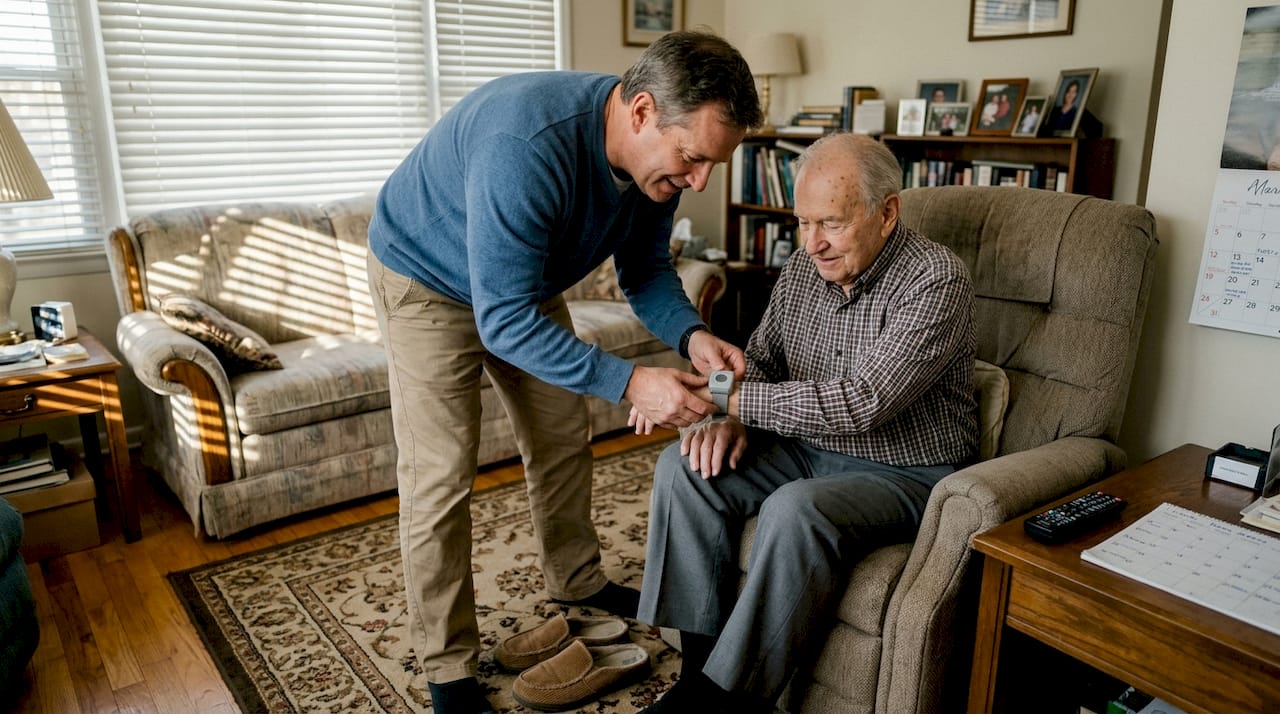
Here is a quick comparison of the main system types:
| System type | Best for | Approximate monthly cost | Connectivity |
|---|---|---|---|
| In-home base unit | Homebased seniors | $25–$40 | Landline or cellular |
| Mobile/GPS alarm | Active or outdoor seniors | $30–$50+ | Cellular |
| Fall detection wearable | High fall-risk individuals | $30–$50+ | Cellular |
| Subscription-free device | Budget-conscious families | One-time cost | SIM card |
According to NCOA cost data, in-home systems typically run $25–$40 per month, while mobile and GPS options range from $30 to over $50 per month. Fall detection is often an add-on fee. Some Medicare Advantage plans may cover part of the cost, so it is worth calling your insurance provider before purchasing.
Before setup, gather these items:
- A working power outlet near where the base unit will sit
- A charged SIM card if the device uses cellular connectivity
- A list of emergency contacts with full phone numbers
- The senior’s smartphone or a family member’s phone for app pairing
- A safe, accessible location for the base unit (not behind furniture)
When evaluating systems, look for mobile alarm features like two-way calling, waterproof design, and long battery life. Also check how easy the setup process is. A system that requires a technician visit or complex configuration is a red flag for families who need something reliable and simple.
Pro Tip: Test cellular signal strength in the rooms where the senior spends the most time before committing to a cellular-based system. Dead zones inside older homes are more common than you think.
Always compare alarm options side by side before buying. Price alone should never be the deciding factor.
Step-by-step setup: Installing and testing your personal alarm
With the right system in hand, setup is straightforward if you follow a clear sequence. Rushing this process is the most common mistake caregivers make.
Safety warning: Do not rely on any alarm until you have fully tested it with all users present and confirmed that every emergency contact receives the alert correctly.
Here is the recommended setup sequence:
- Unbox and charge the device fully before doing anything else. Most devices need 2–4 hours for the initial charge.
- Insert the SIM card if required, following the manufacturer’s instructions. Activate the SIM with your chosen carrier.
- Position the base unit in a central location, away from walls and electronic interference. Bedrooms and living rooms are ideal.
- Download the companion app on a family member’s smartphone and create an account.
- Add emergency contacts in the app or device settings. Include at least two contacts with working phone numbers.
- Pair the wearable to the base unit or app according to the manual.
- Run a test call by pressing the SOS button. Confirm that all contacts receive the alert and that GPS location appears correctly.
- Test outdoors to verify GPS accuracy. Walk the senior around the yard or neighborhood while monitoring location on the app.
Here is a quick reference for common setup mistakes and how to fix them:
| Common mistake | What goes wrong | How to fix it |
|---|---|---|
| Skipping the test call | Alert system appears set up but fails in real emergency | Always run a full test before relying on device |
| Weak cellular signal indoors | Alerts delayed or not sent | Reposition base unit or switch to a different carrier |
| Wrong emergency contact numbers | Alerts go to wrong person | Double-check all numbers in the app settings |
| Low battery at setup | Device shuts off unexpectedly | Charge fully before first use and enable battery alerts |
| GPS not initialized | Location shows as inaccurate | Take device outdoors for 10 minutes to acquire satellite signal |
NCOA testing confirms that reliable GPS and easy setup are achievable, but false alarms can occur. Inform your monitoring center or contacts in advance so they know how to respond. For a deeper walkthrough, the alarm installation guide covers device-specific steps in detail. Understanding emergency button benefits also helps you explain the system clearly to the senior.
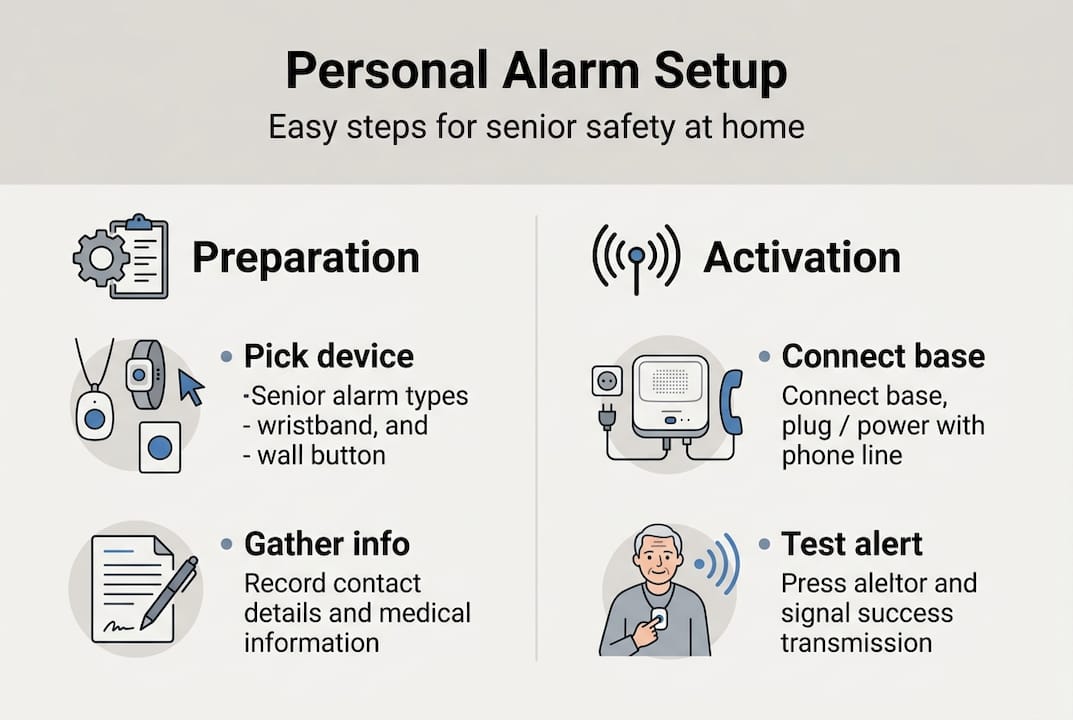
Prioritize systems with easy setup and monthly testing built into their design. This saves time and reduces errors over the long term.
Testing, troubleshooting, and common setup mistakes
Setting up the device is only the first step. Ongoing testing is what keeps the system reliable. Many families complete setup and never test again, which is a serious oversight.
Run a full test every month. This means pressing the SOS button, confirming alerts reach all contacts, and checking GPS accuracy. Also test after any of these events:
- The device is moved to a new location
- A contact’s phone number changes
- The senior travels or stays somewhere new
- The device is repaired or replaced
Common issues caregivers encounter include:
- No alert received: Check cellular signal, SIM card status, and contact settings in the app.
- GPS shows wrong location: Take the device outdoors and allow 5–10 minutes for satellite acquisition.
- False alarms triggering: AI fall-detection algorithms are improving but still produce false positives, especially from abrupt sitting or dropping the device. Notify your monitoring contacts so they can respond calmly rather than panicking.
- Battery draining fast: Reduce GPS polling frequency in the app settings, or check for background app conflicts.
- Senior refuses to wear device: Revisit the device choice. A less visible option like a smartwatch may improve compliance.
Learn more about fall detection technology to understand why certain movements trigger alerts and how to minimize unnecessary ones. The elderly alarm button benefits page also explains how to frame the device positively for seniors who are hesitant.
Pro Tip: Create a simple one-page protocol card for emergency contacts. List what to do when they receive an alert, who to call next, and where the senior’s spare key is located. This removes confusion during a stressful moment.
Alarms work best as part of a broader safety plan. Combine them with home modifications like grab bars, non-slip mats, and improved lighting. Technology supports safety, but it does not replace a well-prepared environment.
A realistic look: What most guides miss about personal alarm setups
Most setup guides stop at the technical steps. But the families who get real peace of mind go further than that.
No alarm system is perfect. Batteries die. Signals drop. Seniors forget to wear the device. These are not reasons to avoid alarms. They are reasons to build habits around them. Monthly testing is not optional. It is the practice that keeps the system trustworthy.
Involving family members in setup drills makes a genuine difference. When everyone knows what an alert looks like, who responds first, and what the backup plan is, the system works as intended during a real emergency. Without that shared understanding, even the best device can cause confusion and delays.
There is also a false sense of security that creeps in after setup. Families sometimes relax home safety efforts because “the alarm is in place.” That is a mistake. A fall that triggers an alarm is still a fall. Preventing it in the first place, through better lighting, cleared walkways, and regular strength exercises, remains the priority. The alarm is the safety net, not the solution. Treat it that way, and it will serve your family well for years.
Enhance safety with trusted personal alarm solutions
Choosing a reliable personal alarm is one of the most meaningful steps you can take for a loved one living independently. The right device provides real-time location tracking, automatic fall detection, and instant two-way communication without complicated monthly contracts.
At kuus.shop, you will find a carefully selected range of GPS alarm watches and personal alarm devices designed specifically for seniors. These devices are built for ease of use, with large SOS buttons and clear displays. Explore the best GPS tracker for seniors to find a model that fits your loved one’s lifestyle, or browse the full range of alarm watches without subscription for a cost-effective, no-commitment option. Your family’s peace of mind is worth it.
Frequently asked questions
Do personal alarm systems require Wi-Fi to operate?
No, most personal alarm systems run on cellular or landline connections, so Wi-Fi is not required. This makes them reliable even in homes without internet service.
How do I reduce false alarms on a personal alarm with fall detection?
Inform your monitoring contacts about activities that may trigger false positives like abrupt sitting and make sure the device is worn correctly at all times. Combining the alarm with home safety measures also reduces unnecessary triggers.
Are there ongoing costs for running a personal alarm?
Yes, most systems cost $25–$50 per month, with fall detection often available as a paid add-on. Subscription-free devices with a one-time purchase cost are also available for families on a budget.
Does Medicare cover the cost of a personal alarm?
Some Medicare Advantage plans may cover personal alarms, but standard Medicare typically does not. Always contact your insurance provider directly to confirm what is covered under your specific plan.
How often should I test a personal alarm system?
Monthly testing is recommended to confirm the system works reliably. Always run an additional test after moving the device, changing contacts, or making any updates to the system settings.