



TL;DR:
- No subscription alarms provide direct emergency contact without monthly fees, making safety accessible and affordable.
- They are ideal for active, independent seniors with reliable family networks, but may lack immediate professional response for emergencies.
Choosing the right safety alarm for an older loved one is harder than most families expect. The market is crowded, the features can feel overwhelming, and the monthly fees from traditional monitored systems add up fast. Many caregivers find themselves paying $40 to $60 every month for a service they assumed would be simple and affordable. No subscription alarms offer a different path: reliable emergency protection with a one-time cost and no recurring bills. This article walks through the real advantages of these devices, where they shine, and where families need to think carefully before deciding.
Table of Contents
- What is a no subscription alarm?
- Financial benefits: No monthly fees
- Practical advantages for families and caregivers
- Limitations and when to consider monitored alternatives
- Our take: Which seniors benefit most from no subscription alarms?
- Explore the best no subscription alarms for seniors
- Frequently asked questions
Key Takeaways
| Point | Details |
|---|---|
| No monthly fees | Unmonitored alarms eliminate ongoing costs, making safety affordable. |
| Simple setup | These devices are easy for seniors and families to use without extra contracts. |
| Direct emergency access | Seniors can reach help through direct-call technology, no operator needed. |
| Ideal for independent seniors | Best for those with reliable family contacts and comfort with technology. |
| Consider monitored alternatives | Monitored alarms may be better for seniors needing professional, guaranteed response. |
What is a no subscription alarm?
A no subscription alarm is a personal safety device that connects directly to emergency services or preset contacts without requiring a monthly monitoring plan. There is no call center in the middle. When a senior presses the SOS button, the device dials family members, caregivers, or emergency services directly. That is the core distinction.
These devices are often called unmonitored alarms. They work using cellular connectivity, typically 4G LTE networks, which means they function at home and away from home. A personal alarm without subscription can be worn as a wristband, pendant, or watch, and most models are water resistant for safe use in the bathroom or outdoors.
Key features you will typically find on these devices include:
- Direct SOS calling to preset family or emergency contacts
- 4G LTE cellular connectivity for use at home and outside
- GPS location sharing so family members can find a senior quickly
- Fall detection that triggers an alert automatically after a detected fall
- Two-way audio so the senior and caregiver can speak through the device
- Water-resistant design 💧 suited for everyday wear
- Simple interface with large buttons and clear icons
For example, devices like the LogicMark Guardian Alert 911 Plus use cellular 4G LTE for on-the-go use, dial 911 directly, and include a water-resistant design with no monthly fees. That combination of portability, reliability, and zero recurring cost is exactly what families with active seniors need.
The difference from monitored systems matters. A monitored system routes your call through a professional response center. An operator answers, assesses the situation, and dispatches help. That added layer costs money every month. A no subscription alarm skips the operator and goes straight to the people the senior trusts most. For many independent older adults with engaged families, this direct approach is not just sufficient. It is actually preferred.
“An unmonitored alarm puts communication directly between the senior and their loved ones, removing the middleman and the monthly bill that comes with it.”
Who benefits most from these devices? Independent seniors living at home, older adults with an active and reachable family network, and families who want reliable safety tools without long-term financial commitments. You can read more about how these devices work in this overview of senior alarm watch details.
Financial benefits: No monthly fees
Let’s talk about money, because this is where no subscription alarms make a strong case for themselves. Traditional monitored alarm systems typically charge between $20 and $60 per month for their service. That means families are looking at $240 to $720 every year, year after year, regardless of whether the alarm was ever used. Over five years, that can add up to $1,200 to $3,600 in fees alone.
Unmonitored alarms avoid $240-720 per year in subscription costs, making them far more affordable for a wider range of families. The device itself may cost $80 to $200 upfront, but after that initial purchase, there are no recurring payments. For families managing household budgets carefully, this is a significant advantage.

Here is a straightforward cost comparison:
| Cost category | Monitored system | No subscription alarm |
|---|---|---|
| Upfront device cost | $50 to $150 | $80 to $200 |
| Monthly fee | $20 to $60 | $0 |
| Annual cost | $240 to $720 | $0 |
| 3-year total | $770 to $2,310 | $80 to $200 |
| 5-year total | $1,250 to $3,750 | $80 to $200 |
The numbers speak clearly. Families who choose no subscription models pay significantly less over any meaningful period of time.
Beyond raw savings, affordability also affects access. When price is no longer a barrier, more families can equip older relatives with reliable safety devices. A senior who might otherwise go without any protection can now have a capable, GPS-enabled alarm simply because the financial hurdle is gone. This matters most in situations where multiple family members, perhaps a parent and grandparent, both need devices. Two monitored plans at $40 per month each add up to $960 per year. Two no-subscription devices might cost $300 total, paid once.
Steps to evaluate cost-effective no subscription alarm options:
- Identify which features are truly necessary (GPS, fall detection, two-way audio)
- Set a realistic one-time budget based on the senior’s needs
- Compare device specifications, not just price
- Check that the device supports the local cellular network
- Look at the manufacturer’s warranty and customer support options
- Read reviews from other families in similar caregiving situations
You can find a detailed breakdown of how these alarms actually function in practice by exploring emergency button uses.
Pro Tip: When calculating total value, factor in the cost of setting up multiple emergency contacts at no charge. Unlike some monitored systems that charge extra for multiple contact numbers, most no subscription alarms allow you to program several family members for free.
Practical advantages for families and caregivers
Beyond cost, there are real day-to-day advantages that families notice quickly after switching to a no subscription alarm. Setup is one of the first things people appreciate. Most of these devices activate with a SIM card and a simple app. There are no installation appointments, no technicians, and no contracts to sign. You can typically have the device ready to use within 30 minutes of unboxing it.
The absence of contracts is itself a meaningful freedom. Monitored systems often lock families into 12-month or 24-month agreements. If the senior moves to assisted living, recovers well enough to need less support, or simply dislikes the device, canceling early can come with fees. No subscription alarms carry none of that friction. You use the device when needed and stop when your situation changes.
Practical advantages for families and caregivers include:
- Immediate setup with a SIM card and app-based activation
- No contracts so families can adapt as health needs change
- Direct communication between seniors and their trusted contacts
- Real-time GPS tracking giving caregivers location awareness at any moment
- Automatic fall detection that works even if the senior cannot press the button
- Two-way calling so caregivers can speak with the senior to assess the situation
For seniors, the emotional impact is equally important. Wearing a device that connects directly to a daughter, son, or close friend feels personal and reassuring. It is not a faceless call center. It is a familiar voice. That sense of connection supports independence rather than undermining it. A senior is more likely to wear a device comfortably every day when it feels like a tool for staying connected, not a symbol of vulnerability.
Families with seniors who have mild memory issues or early-stage dementia find no subscription alarms particularly useful because the GPS tracking feature provides location visibility without requiring the senior to do anything special. You can explore options suited to different needs among personal alarms for seniors or use a detailed resource to compare alarm watches by feature and price.
Pro Tip: Always ensure that at least two or three family members are programmed as emergency contacts, and confirm they have the app installed and notifications turned on. A single contact point is a single point of failure.
Limitations and when to consider monitored alternatives
No subscription alarms are genuinely useful, but they are not the right choice for every situation. Honest families and caregivers need to understand where these devices have real limitations.
The most significant vulnerability is contact availability. Unmonitored alarms work best when family is reachable 24/7; they fall short if contacts are unavailable, unlike monitored systems where a trained operator is always there to respond. If your family has irregular hours, frequent travel, or lives across multiple time zones, gaps in coverage can occur.
Here is a direct comparison to help families decide:
| Situation | No subscription alarm | Monitored alarm |
|---|---|---|
| Family available 24/7 | Excellent fit | Overkill for most families |
| Family unavailable overnight | Higher risk | Better option |
| Senior lives alone, high fall risk | Good with fall detection | More reliable response |
| Senior travels frequently | GPS tracking works well | Professional monitoring adds security |
| Early memory loss or wandering | GPS tracking is valuable | Monitored adds operator support |
| Budget is a strong constraint | Clear advantage | Harder to sustain long-term |
Other scenarios where a monitored system may be the stronger choice:
- A senior who lives completely alone with no nearby family or friends
- Seniors with significant cognitive decline who may not recognize an emergency
- Situations requiring coordination with EMS where professional direction helps
- Overnight hours when all family contacts are likely asleep
Monitored systems are preferred when professional assessment, EMS coordination, and reliability matter most if the family is unavailable. Unmonitored alarms are better than nothing, but they do carry limitations worth acknowledging.
“A no subscription alarm is only as strong as the support network behind it. The device connects to people. Those people need to be ready to respond.”
This framing helps families make the right call. A senior with an engaged family nearby is well-served by a no subscription alarm. A senior whose closest family member lives three states away may need the added assurance of professional monitoring. Learn more about how these devices support senior protection in different real-world situations.
Our take: Which seniors benefit most from no subscription alarms?
Here is an honest perspective based on what families actually experience, not just what the product specifications promise.
The seniors who get the most value from no subscription alarms are not necessarily the most fragile. They are often the most independent. An active 74-year-old who walks daily, gardens regularly, and lives alone but has an attentive adult child nearby is a better candidate than a frail 82-year-old whose family works night shifts and is rarely reachable.
That sounds counterintuitive. But the device’s effectiveness depends almost entirely on the strength of the human network it connects to. A technically capable alarm attached to an unavailable family is a safety gap, not a safety net.
We also see families make one consistent mistake. They set up the device, feel reassured, and never revisit the arrangement. Health changes. Family schedules change. A caregiver who was reliably available last year may have started a new job, moved, or taken on more responsibilities. The alarm setup that worked well in 2024 may be insufficient in 2026.
The practical wisdom here is to treat senior safety as a living plan, not a one-time purchase. Review the emergency contact list regularly. Confirm that everyone in the chain has the app installed and notifications active. Check the device battery habits and GPS accuracy. And once a year, ask honestly whether the current setup still matches the senior’s actual health status and the family’s actual availability. You can support that kind of ongoing awareness by staying informed through resources like caregiver GPS alerts and updated guidance on monitoring tools.
Pro Tip: Schedule a brief annual safety review every fall. Sit down with the senior and your family contacts, test the alarm together, update the contact list, and assess whether the current device still meets the senior’s needs.
Explore the best no subscription alarms for seniors
You have seen the evidence and worked through the comparisons. Now the next step is finding a device that actually fits your family’s situation.
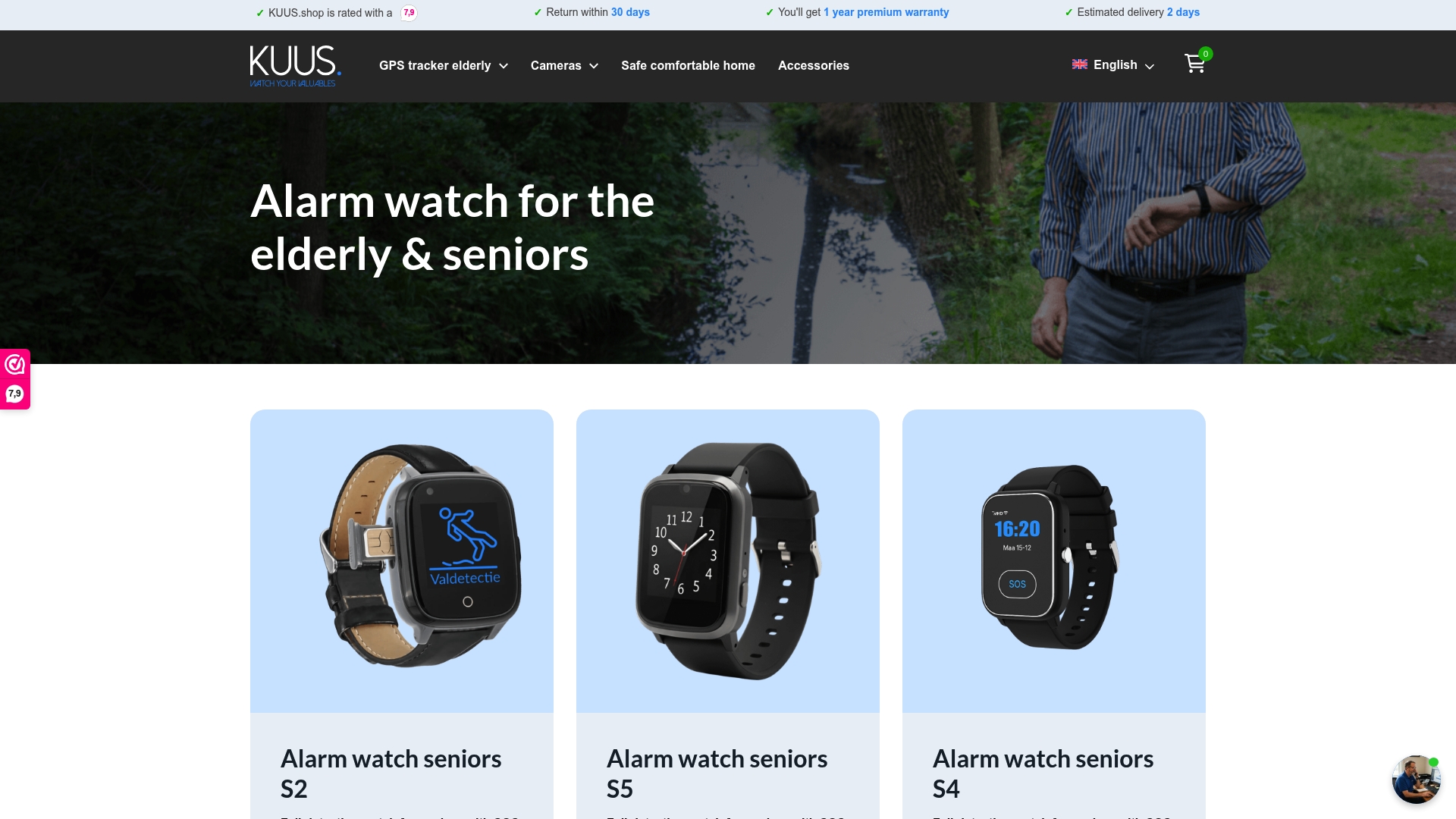
KUUS offers a carefully selected range of safety alarms designed specifically for seniors, without any monthly subscription fees. Every device combines reliable SOS functionality, GPS tracking, and fall detection in a wearable format that seniors actually want to use day to day. From compact personal alarm buttons to full-featured GPS trackers for seniors, each product is built around ease of use and real peace of mind. Browse the full range of senior watch solutions and find the device that gives your loved one the confidence to stay independent, and gives your family the reassurance you need.
Frequently asked questions
How do no subscription alarms connect to emergency services?
They use direct-call cellular technology, typically 4G LTE, to contact preset contacts or emergency services like 911 without any monthly service fees attached.
What are the main disadvantages of unmonitored alarms?
If family contacts are unreachable, response may be delayed since there is no professional operator backup to guarantee a response around the clock.
How much money can families save by avoiding subscriptions?
Skipping monitored alarms avoids roughly $240 to $720 per year in recurring fees, representing significant savings over multiple years of use.
Are no subscription alarms easy for seniors to use?
Yes, most are specifically designed with large, simple buttons and direct emergency connections that require minimal steps for the user to activate help.