




TL;DR:
- Automatic alarm systems detect falls and inactivity without user input, enabling faster emergency response.
- They benefit seniors with cognitive decline by providing reliable alerts when manual buttons may fail.
- Effectiveness varies, with real-world detection rates often lower than controlled testing results.
Falls are the leading cause of injury among adults over 65, and nearly half of those who fall cannot get up on their own. That’s the moment when a manual SOS button fails completely. If someone is unconscious, confused, or simply too injured to press anything, a traditional alarm is useless. Automatic alarm notification changes that equation entirely. These systems detect emergencies on their own, without requiring any action from the person in danger. For families with a loved one living alone, and especially for seniors with cognitive decline, this technology fills a critical gap that standard push-button devices leave wide open. This guide walks you through how it all works.
Table of Contents
- What is automatic alarm notification?
- How do automatic alarm systems work?
- Who benefits, and when automatic alerts make a difference
- Common challenges: accuracy, false alarms, and choosing the right system
- How to get the most from automatic alarm notification systems
- Why the real win is peace of mind, not just technology
- Ready for more safety and freedom? Explore your options
- Frequently asked questions
Key Takeaways
| Point | Details |
|---|---|
| No button needed | Automatic alarm notifications detect emergencies even if a senior cannot press a button. |
| Real-world accuracy varies | Detection may miss some events or trigger false alarms, so choose proven, adjustable devices. |
| Empowers independence | These systems help seniors live safely at home while keeping families informed and reassured. |
| Caregiver-friendly features | Look for caregiver apps, GPS, and sensitive monitoring for dementia support. |
| Not always covered by insurance | Most costs are out-of-pocket, but peace of mind and safety benefits are significant. |
What is automatic alarm notification?
Automatic alarm notification is a safety feature built into wearable devices and home sensors that sends an alert to caregivers, family members, or emergency services without the user needing to press a button. That distinction matters more than it might seem at first glance.
Traditional personal alarms rely entirely on the user recognizing an emergency, staying calm, and pressing a button. In reality, that chain of events often breaks down. A person who has fainted cannot press anything. Someone with dementia may not understand what is happening. A senior who has fallen and hit their head may be disoriented for minutes or longer.
Automatic systems close that gap by monitoring the user continuously. They rely on built-in sensors to detect specific events:
- Sudden impacts or falls detected through rapid changes in motion
- Lack of movement over a set period, suggesting the person may be incapacitated
- Wandering patterns that fall outside a defined safe zone
- Bed exits at unusual hours, often relevant for dementia care
Once an event is detected, the system acts immediately. It shares the user’s GPS location, contacts a monitoring center or designated family members, and in many cases allows a brief window to cancel the alert if it was triggered by mistake.
“Accelerometers and gyroscopes in wearables detect sudden impacts and lack of movement, then share GPS and contact monitoring centers with a brief cancel window.”
For a deeper look at what these devices can do, explore alarm watch features and learn how fall detection works in practice.
The key takeaway: automatic alarm notification removes the burden of action from the person who needs help most.
How do automatic alarm systems work?
Understanding the mechanics helps families make smarter choices. Here is a step-by-step look at what happens when an automatic alarm triggers:
- Sensors detect an event. The wearable device uses an accelerometer to measure movement speed and direction. A gyroscope tracks orientation. Together, they identify a sudden downward motion consistent with a fall.
- The system evaluates the data. Algorithms compare the detected pattern against known fall signatures to reduce false alarms from everyday movements like bending or sitting down quickly.
- A short cancel window opens. Most systems give the user 15 to 30 seconds to cancel the alert if it was a false alarm. This is a critical feature for reducing unnecessary emergency responses.
- Notifications go out automatically. If not canceled, the system sends alerts to family members via app, contacts a 24/7 monitoring center, and shares real-time GPS location.
- Two-way communication activates. Many wearables allow the monitoring center or a family member to speak directly with the user through the device.
The detection accuracy depends heavily on sensor quality and algorithm design. GPS adds another layer by letting caregivers see exactly where the person is at the moment of the alert.
Pro Tip: Before committing to a device, test how it feels on the wrist or around the neck for a full day. Comfort and stigma are real barriers to consistent wear, and a device that stays in a drawer offers zero protection.
| Feature | Wearable device | Non-wearable sensor |
|---|---|---|
| Fall detection | Yes | Limited |
| GPS tracking | Yes | No |
| Works outside home | Yes | No |
| Requires wearing | Yes | No |
| Privacy concerns | Low | Higher |
For a side-by-side breakdown, compare personal alarm devices and review alarm watch interfaces to find what suits your situation.
Who benefits, and when automatic alerts make a difference
Automatic alarm notification is not just for people who have already had a fall. It is for anyone whose safety depends on fast, reliable help, regardless of whether they can ask for it.
Consider these realistic scenarios:
- A fall in the bathroom. The person hits their head and loses consciousness. No button gets pressed. An automatic system detects the impact and alerts the family within seconds.
- A fainting episode. The person collapses silently in the kitchen. No noise, no call for help. Sensors detect the sudden lack of movement and trigger an alert.
- Wandering at night. A senior with early-stage dementia leaves the house at 2 a.m. A GPS-enabled device sends an immediate location alert to family members.
- Confusion after a medication error. The person is disoriented and cannot operate a phone. The system monitors for inactivity and notifies caregivers automatically.
For families, the difference in response time is significant. A manual call for help can take 30 minutes or more if the person cannot reach a phone. Automatic notification can reach a family member in seconds.
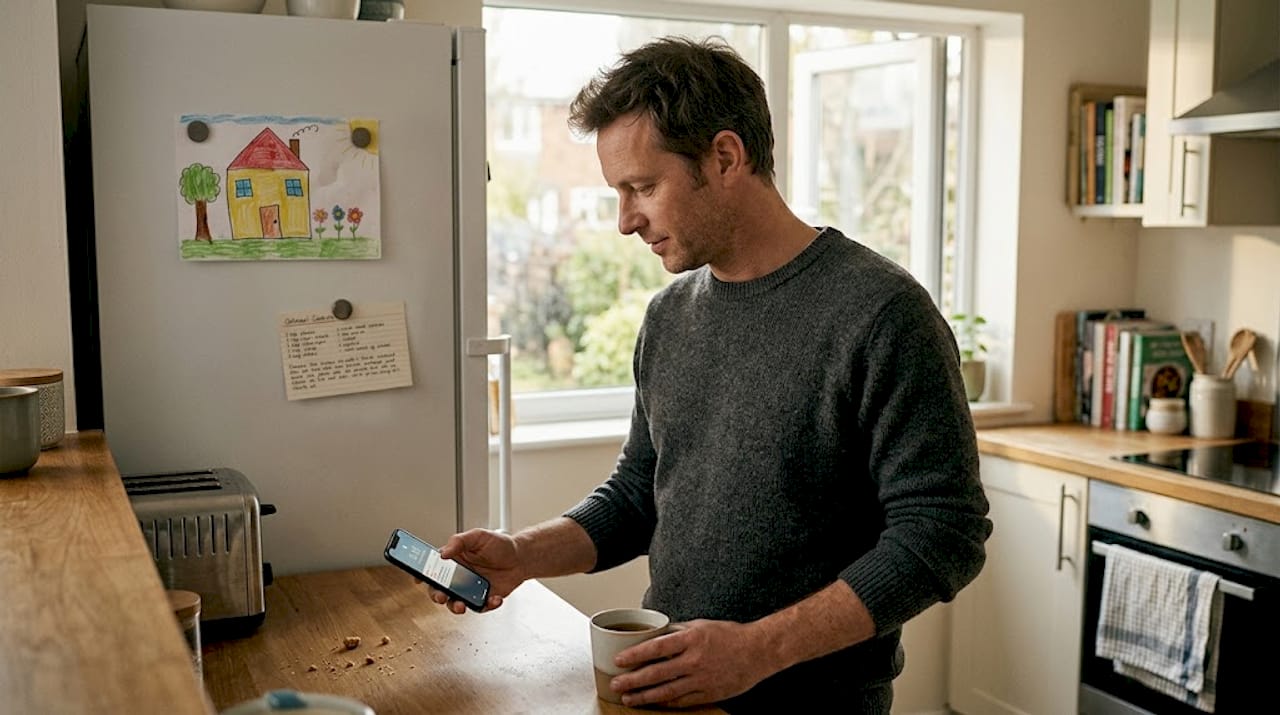
For those with cognitive decline, automatic notifications are especially crucial because users may forget to press a button or not understand they need to. These systems often include GPS for wandering, behavior monitoring, and bed exit alarms.
Pro Tip: Choose a system where caregivers can access a dedicated app with real-time location updates and alert history. This gives families visibility without needing to call the senior constantly.
For more on this topic, read about alarms in dementia care and how GPS trackers support care for vulnerable seniors.
Common challenges: accuracy, false alarms, and choosing the right system
No system is perfect. Families need an honest picture before investing in any automatic alarm notification device.
The accuracy numbers tell an interesting story. Wearables show pooled sensitivity of 55% and specificity of 89%, with detection rates in controlled reviews ranging from 86% to 99%. But lab conditions are not real life.
“Real-world false alarms reached 80% in one study, and missed falls occur due to limited real-world data; false positives from bending and squatting are common.”
This gap between lab and real-world performance is something every family should understand. A device that scores 98% accuracy in a controlled test may still trigger multiple false alarms per week at home.
Common challenges include:
- Alert fatigue. Too many false alarms cause families to start ignoring notifications, which defeats the purpose entirely.
- Device compliance. Seniors who find the device uncomfortable or stigmatizing may stop wearing it.
- Cost and coverage. Most services charge $20 to $34 per month, with an additional fee for fall detection. Medicare does not cover these costs.
- Privacy concerns. Ambient systems using cameras or microphones raise legitimate privacy questions, especially in shared living spaces.
| Device type | Accuracy | Comfort | Privacy | Monthly cost |
|---|---|---|---|---|
| Wrist wearable | High | Good | High | $20-$34 |
| Pendant/necklace | Moderate | Variable | High | $20-$30 |
| Ambient sensor | Variable | Excellent | Lower | $25-$50 |
To reduce false alarms, look for devices with adjustable sensitivity settings and machine learning algorithms that adapt to the user’s normal movement patterns. Explore the best alarm watches to compare options with these features.
How to get the most from automatic alarm notification systems
Buying a device is only the first step. Getting real value from it requires setup, training, and ongoing attention. Here is a practical approach:
- Test sensitivity settings before full deployment. Spend a week with the device at home, noting any false alarms. Adjust the sensitivity threshold until the system responds to genuine events without triggering on normal daily movements.
- Train every person involved. This means the senior, family members, and any professional caregivers. Everyone should know how to respond to an alert, how to cancel a false alarm, and how to check the app.
- Account for mobility aids. Walkers, canes, and wheelchairs change movement patterns significantly. Some devices need recalibration when the user regularly uses these aids to avoid constant false positives.
- Evaluate privacy trade-offs carefully. Camera-based or ambient AI systems offer hands-free monitoring but collect more sensitive data. Decide what level of monitoring feels respectful and appropriate for your loved one.
- Consider a hybrid approach. Combining a wearable with a home-based sensor covers both indoor and outdoor situations more reliably than either solution alone.
- Review service agreements annually. Costs, features, and coverage options change. Real-world accuracy is consistently lower than lab results, so staying current with device improvements matters.
For families supporting seniors who travel or go out regularly, GPS alerts for caregivers offer an added layer of real-time visibility that purely home-based systems cannot match.
Why the real win is peace of mind, not just technology
There is a conversation happening in elder care that rarely makes it into product reviews. It is not about sensor accuracy or battery life. It is about dignity.
When a senior wears a device that monitors their safety automatically, something shifts. They stop worrying that a fall will leave them on the floor for hours. That fear, quiet but constant, is one of the biggest reasons older adults restrict their own activities. They skip the walk. They avoid the stairs. They stay close to the phone. Automatic alarm notification removes that mental weight.
For families, the change is equally significant. Adult children who worry constantly about a parent living alone often overcorrect. They call too frequently, visit more than necessary, or push for assisted living before it is truly needed. A reliable automatic system gives everyone permission to relax a little.
The technology matters. But what it enables, which is independence and reassurance with alarms, is the real value. A senior who feels safe is more likely to stay active, engaged, and connected. That is a better outcome than any specification sheet can capture.
Device comfort, stigma, and the senior’s own sense of empowerment matter just as much as the specs. The best system is the one that actually gets worn every day.
Ready for more safety and freedom? Explore your options
If this guide has helped clarify what automatic alarm notification can do for your family, the next step is finding a device that fits your specific situation.
At kuus.shop, you will find a curated range of GPS watches and alarm watches designed specifically for seniors, with no monthly subscription required. You can compare top alarm watches side by side, read about the GPS watch value for seniors, or browse the full selection of non-subscription alarm watches built for daily use. Every product is chosen with safety, comfort, and ease of use in mind, so you can make a confident, informed decision.
Frequently asked questions
What triggers an automatic alarm notification in senior alert systems?
Common triggers include sudden impacts and lack of movement detected by accelerometers and gyroscopes, all without requiring the user to press a button.
Are automatic alarms effective for people with dementia or cognitive decline?
Yes. Because these systems act without user input, they remain effective even when someone forgets or cannot press a button due to confusion or disorientation.
How accurate are automatic alarm notifications in real-life situations?
Real-world performance varies widely. Pooled sensitivity reaches 55% in wearable studies, while detection rates in controlled reviews range from 86% to 99%, depending on the device and environment.
What features should families look for in an automatic alarm notification system?
Prioritize adjustable sensitivity, 24/7 monitoring, reliable GPS, and a caregiver app. For dementia care, comfort and stigma affect use just as much as technical features.
Does Medicare cover automatic alarm notification systems?
Most systems are not covered by Medicare. Families should expect to pay a monthly service fee, with fall detection often priced as an add-on.