



TL;DR:
- SOS alert notifications serve two distinct purposes: regional crisis alerts sent to everyone and personal emergency signals directly to designated contacts. For seniors living alone, personal SOS devices with GPS and automatic fall detection are essential for immediate, targeted assistance during emergencies. A comprehensive safety plan combines these devices with regular family communication and periodic system checks to ensure true peace of mind.
When your father presses a button on his wrist, or your mother’s watch senses a fall, what actually happens next? The term “SOS alert notification” gets used in two very different ways, and for families caring for seniors who live independently, that confusion can have real consequences. One type sends emergency information to millions of people near a disaster zone. The other sends a personal distress signal directly to family members and emergency services. Understanding which is which, and knowing what each system can and cannot do, puts you in a much stronger position to protect the people you love.
Table of Contents
- Understanding SOS alert notifications: Two very different systems
- How personal Emergency SOS works on wearables and devices
- Why fall detection and automated SOS matter—and where they fail
- Choosing the right SOS system for your loved one
- A caregiver’s insight: Peace of mind comes from the right combination, not any one feature
- Give your family real peace of mind with the right SOS alert solution
- Frequently asked questions
Key Takeaways
| Point | Details |
|---|---|
| Know the type | SOS alert notifications can mean broad crisis alerts or personalized emergency signals—understand which matters most for seniors. |
| Personal SOS works fast | Emergency SOS devices notify both services and family, sharing location and updates for faster, more targeted help. |
| Fall detection isn’t flawless | Even top fall detection systems miss up to half of real falls, so always have a manual SOS option. |
| Choose the right fit | Select SOS systems based on the senior’s tech comfort, health, and living situation for maximum peace of mind. |
| Combine features for safety | Best results come from pairing SOS buttons with fall detection and strong family communication. |
Understanding SOS alert notifications: Two very different systems
Let’s start by clearing up what an SOS alert notification actually means. The phrase covers two entirely separate concepts, and mixing them up leads to real gaps in safety planning.
The first type is a platform-level SOS alert. This is what services like Google SOS Alerts deliver. When a hurricane, earthquake, or other major crisis occurs, Google pushes information to users in the affected area. These alerts tell people what is happening, where to find shelter, and how to stay safe. They are broadcast messages, sent to everyone at once. They are not personalized, and they do not notify your family that you specifically are in trouble. As Google explains, an SOS alert notification can refer either to device-based Emergency SOS or to platform-level crisis alerts, and the two serve completely different purposes.
The second type is a personal emergency SOS alert. This is triggered by the individual user, or automatically by the device, and it contacts specific people. The alert goes to designated family members or caregivers, often including GPS location data. It is designed for one person’s emergency, not a regional disaster.
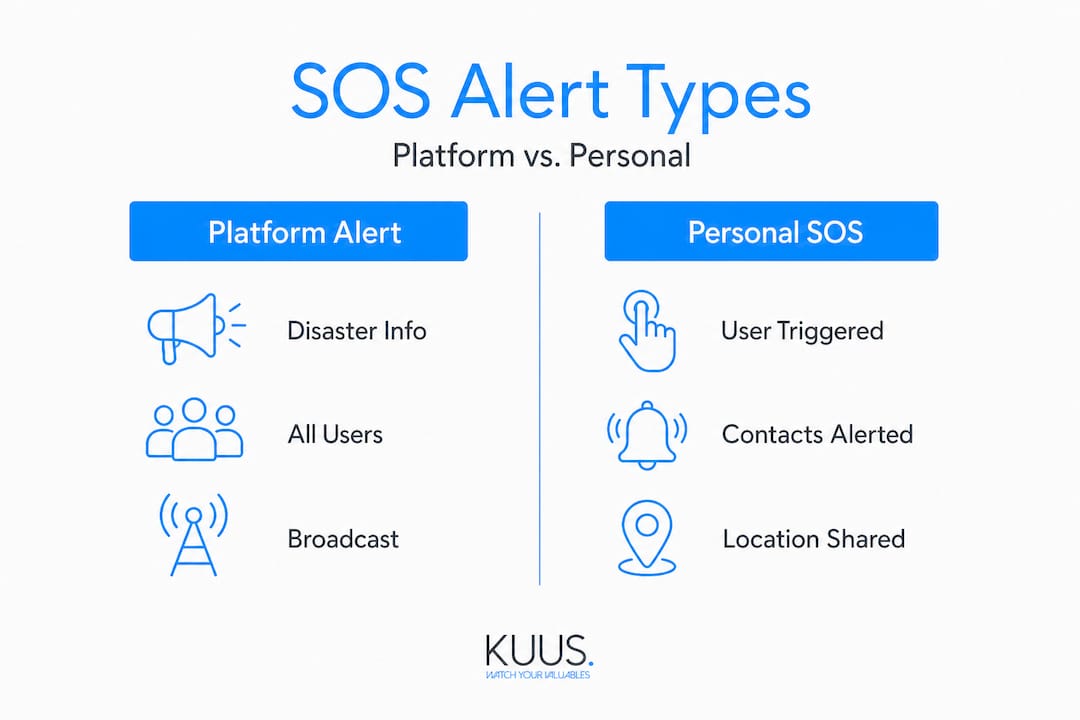
Here is a simple comparison to make the difference clear:
| Feature | Platform SOS alert | Personal Emergency SOS |
|---|---|---|
| Who triggers it? | Platform/authority | Individual or device |
| Who receives it? | All users in area | Pre-set emergency contacts |
| Includes location? | General area only | Precise GPS location |
| Used for | Major crises or disasters | Personal medical emergencies |
| Examples | Google SOS Alerts | SOS watch, medical alert device |
For families with seniors living alone, the personal Emergency SOS is what matters most. A platform alert will not tell you that your mother has fallen in her kitchen. Only a personal SOS device can do that. Knowing how SOS notifications reach family members in real emergencies helps you plan an effective safety setup.
Why this matters most for seniors: Platform crisis alerts require no setup and are automatic. Personal SOS alerts require a device, a charged battery, and ideally a trained user. Neither replaces the other, but only one of them is designed to save your loved one in a personal emergency.
How personal Emergency SOS works on wearables and devices
With that distinction clear, let’s dive into how personal Emergency SOS functions in devices designed for seniors.
The basic process is straightforward, but the details matter. Here is the typical sequence of events when a senior activates an SOS alert on a wearable:
- User presses the SOS button (or the device detects a fall automatically).
- The device places a call to emergency services, family members, or both, depending on how it is configured.
- A notification is sent to all pre-set emergency contacts.
- GPS location is shared with those contacts in real time.
- Periodic location updates continue until the alert is dismissed or help arrives.
On Apple Watch, for example, Emergency SOS calls local services, then notifies emergency contacts with the user’s location and sends periodic updates throughout the event. This layered approach means that even if the senior cannot speak, their family knows exactly where they are.
Different devices handle this process in slightly different ways. Here is a practical comparison:
| Device type | Who is called first? | Contact notification | GPS sharing | Two-way audio |
|---|---|---|---|---|
| Apple Watch | Emergency services (911) | Yes, after call | Yes, with updates | Yes |
| Dedicated GPS senior watch | Family contacts | Yes, immediately | Yes, real time | Yes |
| Basic personal alarm button | Family contacts only | Yes | Limited or no GPS | Often no |
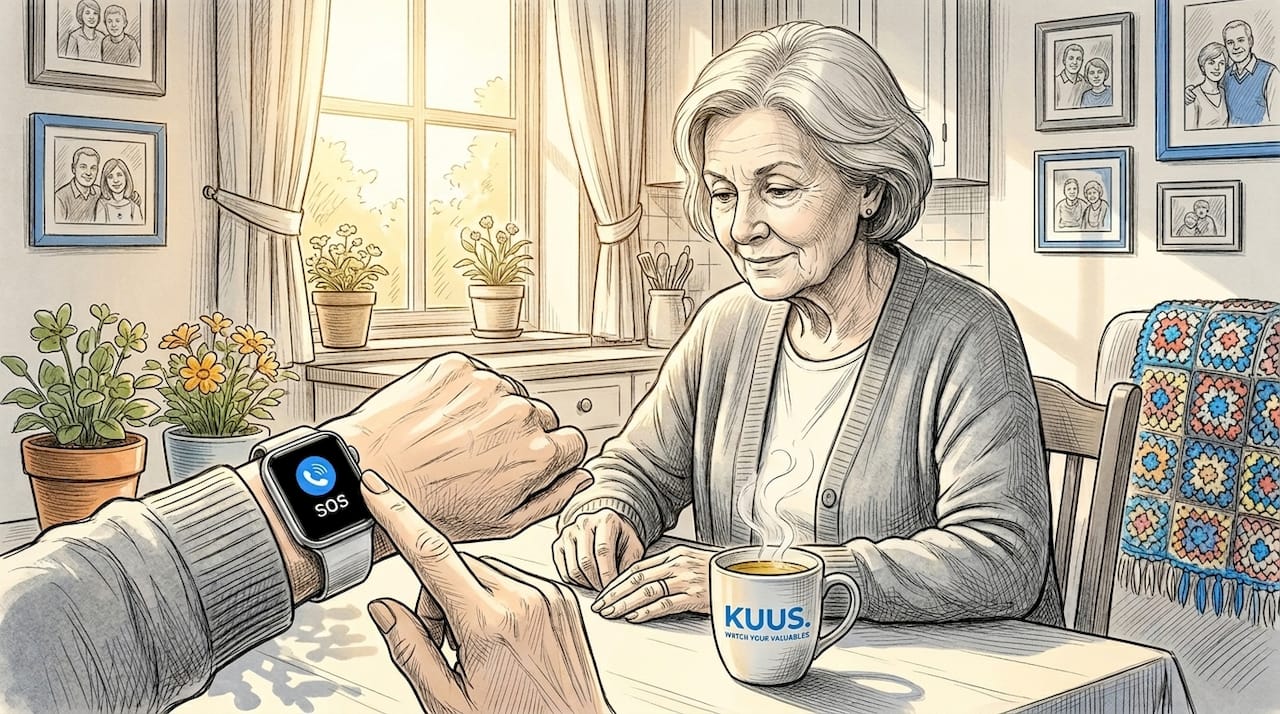
The dedicated senior smartwatch with SOS is often the most practical option for families. These devices prioritize direct contact with family members, share live GPS location, and allow two-way voice communication right through the watch. That means your loved one can speak with you within seconds of pressing the button, even if they cannot reach a phone.
Location sharing is one of the most valuable features in any personal SOS system. When a senior falls in a large home, in a garden, or while out for a walk, knowing their exact location removes a critical barrier to getting help quickly. Without GPS, family members have to search, guess, or wait for emergency services to locate the person, which costs precious minutes.
Pro Tip: Review and update emergency contact information on every SOS device at least every three months. Phone numbers change, contacts move, and a notification that goes to an outdated number is no notification at all. Make this a habit during family visits.
Understanding how fall detection works helps you set realistic expectations for what the device can and cannot do automatically.
Why fall detection and automated SOS matter—and where they fail
Beyond pressing a button, some devices offer fall detection or automated SOS. Here’s what that means in everyday life.
Fall detection uses sensors inside the wearable to recognize the sudden movement pattern of a fall. When the device detects a likely fall, it triggers an SOS alert automatically, even if the user is unconscious or unable to press a button. This sounds like a perfect solution, and in many situations it works well. But the technology has important limitations that every family should understand before relying on it.
Research consistently shows that fall detection systems detect only 50 to 80 percent of real falls in real-world use. Laboratory testing rates are often higher, but conditions in daily life are messier, and the device cannot always tell a fall from a sudden sit-down or a bumped elbow.
Pros of automated fall detection and SOS:
- Provides a safety net when the user cannot press a button
- Offers peace of mind for families of seniors who live alone
- Activates even when the senior is unconscious or disoriented
- Works as a continuous background monitor with no active effort from the user
Cons of automated fall detection and SOS:
- False alarms occur regularly, causing unnecessary stress and family worry
- Coverage gaps exist, particularly for slower falls or collapses without impact
- Detection rates vary significantly between devices and real-world conditions
- Users with cognitive impairment may be confused or distressed by unexpected alerts
The conclusion is not that fall detection is useless. Far from it. The benefits of fall alarm watches in elderly care are real and well-documented. The point is that automated detection should be treated as a powerful backup, not a complete replacement for the manual SOS button. Every family should teach their senior loved one how to use the button themselves, even if the device has automatic detection.
Pro Tip: If a senior has mild cognitive impairment or dementia, have a family conversation about how automated alerts will work. Walk through a practice scenario so the senior is not startled if the device triggers an alert. Familiarity reduces panic and false dismissals of real alerts.
For seniors with more advanced cognitive impairment, understanding how a senior alarm with fall detection works can help families determine whether the automatic feature is suitable, or whether a simpler, caregiver-managed system is a better fit.
Choosing the right SOS system for your loved one
Knowing the strengths and weaknesses, how do you make the right choice for a specific loved one?
The answer depends on the individual. There is no single device that is best for every senior. The right SOS system needs to match the person’s health, lifestyle, comfort level with technology, and living situation.
Here is a comparison of the main system types available today:
| System type | Best for | Key strength | Key limitation |
|---|---|---|---|
| Wearable SOS watch (GPS) | Active seniors, those who go out | Real-time location, two-way audio | Needs charging, must be worn |
| Personal alarm button | Home-based seniors, simpler needs | Easy to use, low cost | Limited or no GPS outside home |
| Sensor-based home system | Frail seniors, those with dementia | No wearable needed | Only covers home environment |
| Platform crisis alerts | General public in disaster areas | Automatic, no setup | Not for personal emergencies |
When evaluating options, work through these criteria in order:
- Mobility level. Does your loved one go out regularly, or stay mostly at home? Active seniors need GPS-enabled wearables. Homebased seniors may do well with a simpler personal alarm.
- Health status. Does the person have a high fall risk, a heart condition, or other conditions that increase emergency likelihood? Higher medical risk calls for more comprehensive detection features.
- Comfort with technology. Can your loved one operate a smartwatch, or do they need something with just one large button? Complexity reduces compliance. If the device is too complicated, it will not get worn.
- Living arrangements. Does the senior live alone or with someone? Alone means automated detection and family notification are more critical.
- Cognitive status. For seniors with dementia or memory issues, research shows that automated SOS can cause distress and other solutions may be more suitable, such as caregiver-managed alerts or simpler devices with fewer automated features.
You can find a detailed side-by-side breakdown in this guide to comparing SOS watches to see which device features match different situations. Also review the most important safety features for seniors so you know exactly what to look for before making a decision.
One principle applies across all situations: manual activation must always be an option. No matter how advanced the automatic detection is, the senior must be able to press a button and get help. That one feature, more than any other, is non-negotiable.
A caregiver’s insight: Peace of mind comes from the right combination, not any one feature
Stepping back, here’s what real-world experience reveals about SOS alerts and senior safety.
Most families approach SOS devices with one assumption: that getting a device is enough. It is not. The most common mistake is treating fall detection or an SOS button as a complete safety solution, when in reality it is one layer in a system that must also include regular communication, honest conversations about health, and a family plan for emergencies.
We see this pattern often. A family buys a well-reviewed SOS watch, feels reassured, and reduces how often they check in with their parent. Then the device battery dies, or the senior forgets to wear it, or a slow-onset medical event triggers no fall alert at all. The technology was good. The plan around it was not.
The families who achieve genuine peace of mind do three things consistently. First, they combine automated detection with regular manual check-ins. They use the device as a backup, not a replacement for communication. Second, they test the device regularly. They press the SOS button together during a visit, confirm that family emergency alerts arrive correctly, and update contact settings when anything changes. Third, they personalize the setup to the actual person, not the ideal senior. A device that works perfectly for an active 70-year-old may be completely wrong for a person with early dementia.
True safety is not a product. It is a habit, a conversation, and a commitment to staying involved. The right SOS device makes that much easier. But the device only works when it is part of a broader plan built around the real person wearing it.
Give your family real peace of mind with the right SOS alert solution
If you’re ready to put this knowledge to work, explore options that combine the best in SOS alert technology for seniors. Choosing the right device is easier when you start with clear information and trusted products designed specifically for older adults.
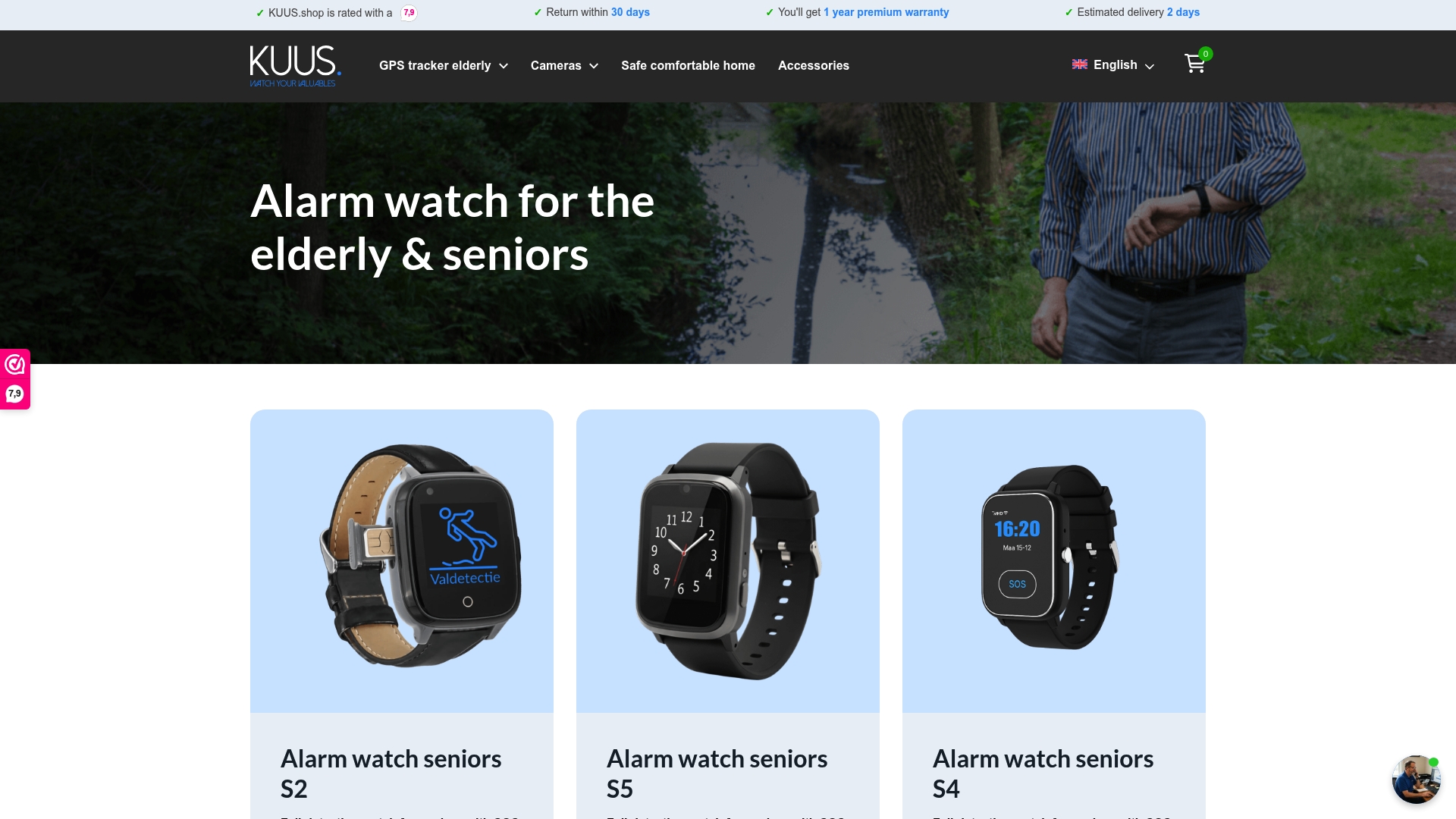
For seniors who are active outdoors, a GPS tracker for seniors without monthly subscription costs gives families real-time location access and SOS calling in one wearable. For seniors who prefer simplicity, a dedicated alarm button for seniors is an easy-to-use solution that prioritizes one clear function: getting help fast. If you want to compare the full range of options and features, you can explore senior watch options to find the right fit for your loved one’s lifestyle and health needs. All devices are designed to be worn daily, are water-resistant, and require no technical expertise to set up.
Frequently asked questions
Does an SOS alert always contact emergency services directly?
Not always. Some SOS notifications alert family members only, while others, like Apple’s Emergency SOS, call local emergency services first and then notify designated contacts with location data.
Can seniors with dementia use SOS alerts effectively?
Automated SOS features can be distressing for seniors with cognitive impairment. Research shows that automated SOS may cause distress and false alarms in dementia, so simpler or caregiver-first solutions are often a better fit.
How accurate is fall detection in SOS devices?
Even the best systems detect only 50 to 80 percent of real falls in practice, which is why manual SOS button activation remains an important and necessary backup.
What’s the difference between a platform SOS alert and a personal SOS alert?
Platform SOS alerts broadcast emergency information to all users near a major crisis or disaster. Personal SOS alerts trigger targeted help for a specific individual in distress. As Google’s own documentation explains, these are two distinct functions that serve very different purposes.
Should I choose a device with both an SOS button and fall detection?
Yes. Using both features together gives the strongest coverage, since fall detection works best as a backup to manual activation rather than as a standalone solution.