




TL;DR:
- Smart location alerts actively monitor seniors and send immediate notifications during boundary crossings or emergencies.
- Geofencing technology defines virtual zones to detect wandering or exits, triggering automatic caregiver alerts.
- Combining GPS, fall detection, and manual SOS features enhances senior safety and caregiver response times.
Many families assume that a GPS tracker simply shows where their loved one is on a map. That assumption can leave dangerous gaps in care. A smart location alert goes much further. It actively monitors a senior’s movement and sends an immediate notification the moment something changes, whether a boundary is crossed, a fall is detected, or an SOS button is pressed. For families caring for a parent who lives alone, or for anyone supporting a senior with early-stage dementia, understanding this difference is genuinely life-changing. This guide explains exactly how smart location alerts work and why they matter for real-world family safety.
Table of Contents
- Defining smart location alerts: More than just GPS tracking
- How smart location alerts work: Geofencing and beyond
- Use cases: Preventing risk for seniors and peace of mind for families
- What to consider when choosing a smart location alert system
- A caregiver reality check: Why tech is helpful but not a replacement
- Explore senior safety solutions with proven location alerts
- Frequently asked questions
Key Takeaways
| Point | Details |
|---|---|
| Beyond GPS tracking | Smart location alerts notify caregivers instantly when boundaries are crossed or emergencies occur, not just where a person is located. |
| Geofencing powers alerts | Digital safe zones watch for entry or exit, automatically triggering caregiver notifications. |
| Comprehensive safety | Combining location alerts with SOS and fall detection adds security for at-risk seniors. |
| Choose with confidence | Review response speed, notification options, ease of use, and customization when selecting smart alert solutions. |
| Human touch remains vital | Even the smartest tech supports but does not replace caregiver attention and regular check-ins. |
Defining smart location alerts: More than just GPS tracking
Most people think of GPS tracking as a way to look up where someone is right now. You open an app, see a dot on a map, and feel reassured. But that only works if you actually open the app. What happens if your parent leaves home at 2 a.m. and nobody checks?
A smart location alert flips this around entirely. Instead of requiring you to check, the system checks for you and sends a notification the moment something important happens. As geofencing technology explains, a “smart location alert” in elder-safety contexts usually means automated alerts triggered by location events, such as geofencing or safe-zone entry and exit, so caregivers are notified when a person leaves a designated area or when an emergency occurs.
Here is what that looks like in practice:
- Passive tracking: You check an app when you think about it. No notification unless you look.
- Smart location alert: The system automatically notifies you when something changes, no checking required.
- Emergency-triggered alerts: A manual SOS button press or fall detection sends a location-tagged message immediately.
- Multi-caregiver alerts: Several family members receive the same notification at the same time.
Consider this real-world scenario. Your mother, who has early-stage dementia, lives alone. One afternoon she decides to walk to a shop she used to visit years ago, but the route is no longer safe for her. With basic GPS tracking, nobody knows she left until someone thinks to check the app. With a smart location alert and a configured safe zone around her home, you receive a notification on your phone within seconds of her stepping outside the boundary. That is the difference.
“The goal is not just to know where someone is, but to be informed the moment something needs your attention, without delay and without having to remember to check.”
Pro Tip: When comparing products, look specifically for systems that let you create custom safe zones and send alerts to multiple family members simultaneously. This is not always a default feature, so verify it before purchasing.
You can learn more about the foundations of GPS tracking for seniors to understand how location technology has evolved specifically for elder care.
How smart location alerts work: Geofencing and beyond
Understanding the components helps you see the real difference between basic trackers and proactive alerts. The core technology behind most smart location alerts is called geofencing.
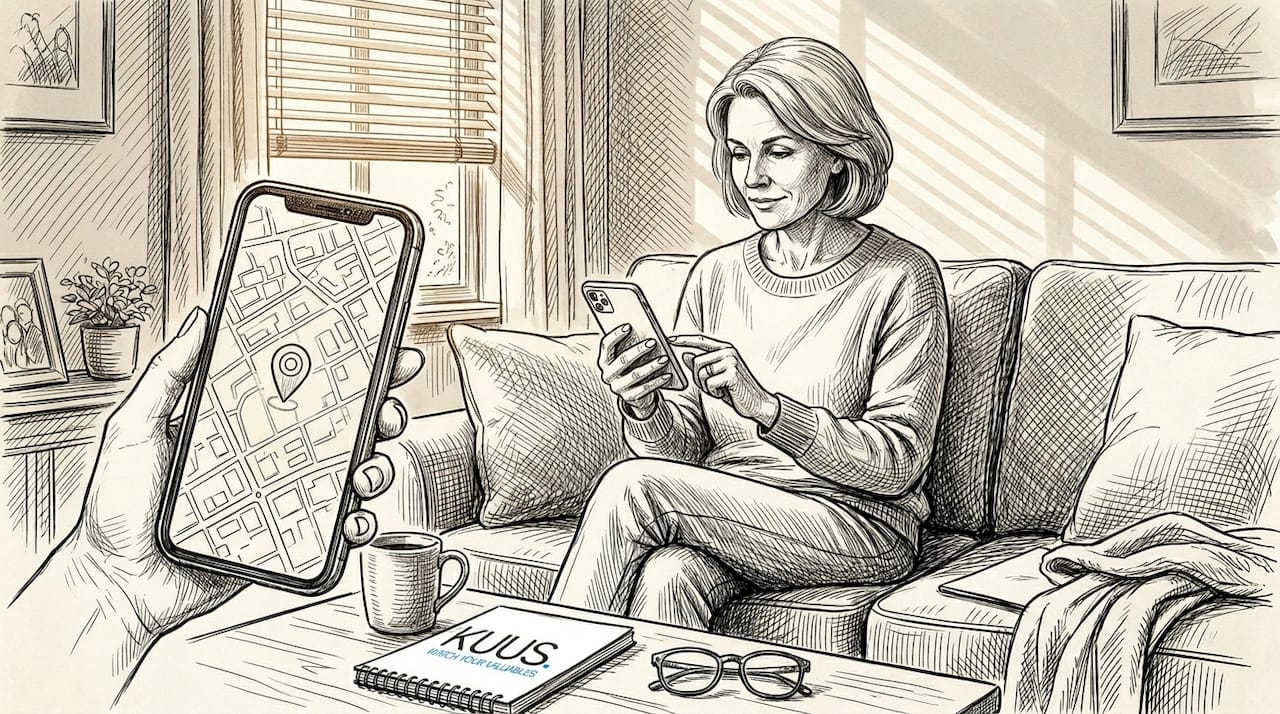
Geofencing means drawing a virtual boundary around a real physical location using GPS coordinates, Wi-Fi signals, or cellular network data. When a device crosses that boundary, software registers the event and triggers a response. Geofencing technology implements these alerts using software that defines virtual boundaries around real-world locations; when a device enters or exits, it triggers a notification or automation. The response could be a text message, an app push notification, or even an automated phone call.
Here is how the process works step by step:
- Set the zone. A caregiver defines a safe zone in the app, such as a circle around the senior’s home with a 200-meter radius.
- Device monitors position. The wearable device continuously tracks its GPS position and compares it to the configured zone.
- Alert triggers. The moment the device moves outside the boundary, the system sends a notification to all registered caregivers with the current location included.
- Caregiver responds. You see the alert, check the live map, and can immediately call back using two-way calling on the watch if the device supports it.
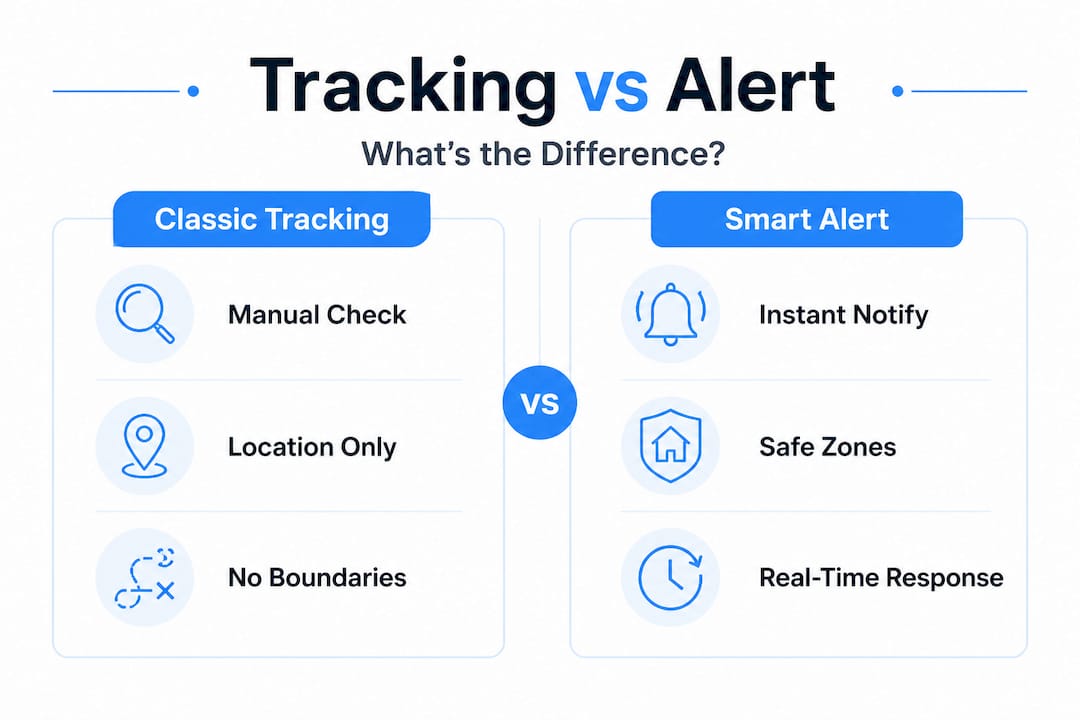
Here is a quick comparison showing how classic GPS tracking differs from a smart location alert system:
| Feature | Classic GPS tracking | Smart location alert |
|---|---|---|
| Location visibility | Manual check required | Automatic notification sent |
| Boundary crossing | Not detected | Instant caregiver alert |
| Fall detection | Not included | Paired alert with location |
| SOS capability | Rarely included | One-press emergency call |
| Multiple caregivers | Usually single user | Multiple simultaneous alerts |
| Response time | Depends on when you check | Immediate, within seconds |
The speed of this notification matters enormously in real emergencies. A senior who wanders even a few blocks away can quickly become disoriented, especially after dark or in changing weather. Every minute counts. Understanding how a GPS tracker in care supports professional and family caregivers helps put these response times into perspective.
For a deeper look at how families use this technology day to day, reading about how GPS alerts help caregivers provides valuable real-world context.
Pro Tip: Before relying on any device in an emergency, test the alert speed by setting up a zone and walking in and out of it yourself. Time how long the notification takes to reach your phone. Anything under 30 seconds is generally acceptable for safety purposes.
Use cases: Preventing risk for seniors and peace of mind for families
Seeing how smart alerts protect loved ones reveals just how practical this technology becomes in daily caregiving situations. There are three primary scenarios where smart location alerts make a significant difference.
Fall risk and detection. Falls are the leading cause of injury among older adults. Combined alert systems for fall-risk and dementia-wandering use cases often pair location GPS and geofencing with fall detection or SOS workflows, so caregivers receive both the alert and the person’s current location at the same time. This means if your father falls in the garden, outside the main house boundaries, you receive both a fall notification and his exact GPS coordinates so help can reach him quickly.
To fully understand how this feature works technically, a detailed breakdown is available in our guide on senior alarm with fall detection.
Dementia wandering. Wandering is one of the most frightening behaviors associated with dementia. It often happens suddenly, at unexpected times, and with no clear destination. A smart location alert configured around the home means caregivers are notified the second a loved one steps outside the safe zone, even if the senior is unaware anything is wrong. This significantly reduces the time between a wandering incident and a family response. More guidance on this specific scenario is available in the guide on tracking for dementia.
Manual SOS activation. Sometimes the senior themselves recognizes they are in trouble and presses the SOS button. This sends an immediate alert with location to all registered caregivers and, on most devices, opens a two-way audio call.
Here is a comparison of alert types and what each triggers:
| Alert type | What activates it | What caregivers receive |
|---|---|---|
| Safe-zone exit | Crossing geofence boundary | Location notification, live map |
| Fall detection | Sudden impact or drop | Automatic alert with GPS coordinates |
| Manual SOS | Senior presses SOS button | Immediate alert, two-way call option |
| Safe-zone entry | Returning to home area | Confirmation notification |
Key benefits families consistently report with smart location alerts:
- Instant awareness without needing to monitor an app constantly
- Reduced emergency response time because location is shared automatically
- Better peace of mind during working hours when checking in is difficult
- Confidence for the senior who knows help is available at any moment
- Family coordination when multiple siblings share caregiving responsibilities
The number of seniors living independently continues to grow each year, driven by longer lifespans and a strong preference among older adults to remain at home. This makes reliable, always-on safety technology not a luxury but a practical necessity for many families.
What to consider when choosing a smart location alert system
With these criteria in mind, it is important to recognize where even smart technology has limits and where caregiver judgment remains key. Before purchasing any system, work through the following checklist carefully.
- Response speed. How quickly does the alert reach your phone after a boundary is crossed? Test this before committing.
- Caregiver notification options. Can multiple family members be added? Can alerts go to both a smartphone and a landline?
- Ease of use for the senior. Is the device simple enough that your loved one will actually wear and use it? Large buttons and clear displays matter enormously.
- Integration with other alerts. Does the system combine fall detection and GPS alerts together, or are they separate?
- Coverage area. Does the device work inside the home, outside, and in your specific region? Cellular coverage varies.
- Battery life. A device that runs out of power by mid-afternoon provides no protection at night.
Products in the elder-care space have developed named features specifically for these needs. For example, geofencing-based location alerts include features like “place alerts” and “Safe Zones” with notifications when a wearer exits or enters a geofenced area, making the technology accessible without requiring technical knowledge from the caregiver.
Questions every caregiver should ask before choosing a product:
- Is the safe zone setup customizable to my parent’s specific home layout?
- Will alerts work if my parent travels or visits family in another city?
- Can I add a second or third family member to receive notifications?
- Does the device require a monthly subscription, or is it a one-time cost?
- Is the interface clear enough for a senior with limited tech experience?
For guidance on choosing the right interface for seniors, the alarm watch interfaces guide covers what to look for in display design, button placement, and ease of daily use.
Pro Tip: Prioritize no-subscription devices when possible. Monthly fees add up quickly over months and years. A device with a one-time cost and a SIM card for data is often more economical without sacrificing functionality.
A caregiver reality check: Why tech is helpful but not a replacement
Here is something that does not get said often enough in conversations about elder safety technology: a smart location alert can fail. Not often, and not by design, but it can happen. Batteries die. Cellular signals disappear in rural areas or thick-walled buildings. Seniors sometimes remove the device because it feels uncomfortable or unfamiliar. Software updates can occasionally cause brief outages.
This is not a reason to avoid smart location alerts. These devices are genuinely valuable and provide real protection every single day. But treating a device as a complete safety solution, rather than a strong tool within a broader care plan, creates a false sense of security that can be dangerous.
We believe the families who get the most out of smart location technology are the ones who stay actively involved. That means regular phone calls to check in, periodic in-person visits, and a clear family plan for who responds when an alert fires. The senior independence guide makes a point that resonates with real caregiving experience: safety comes from combining reliable tools with consistent human attention.
Technology answers the question “where is my parent right now?” Human caregiving answers the question “how are they really doing?” Both matter. A smart alert system gives you more time and mental space to focus on the human side of caring, because you spend less time wondering and worrying about location. That is its real value.
The families who struggle most are those who expect the device to handle everything and then feel blindsided when a situation occurs that the device could not catch. Set realistic expectations with your whole family. Assign a primary contact who responds to alerts. Schedule regular check-ins separately from the device alerts. Use the technology as a safety net, not as a substitute for caregiving judgment.
Explore senior safety solutions with proven location alerts
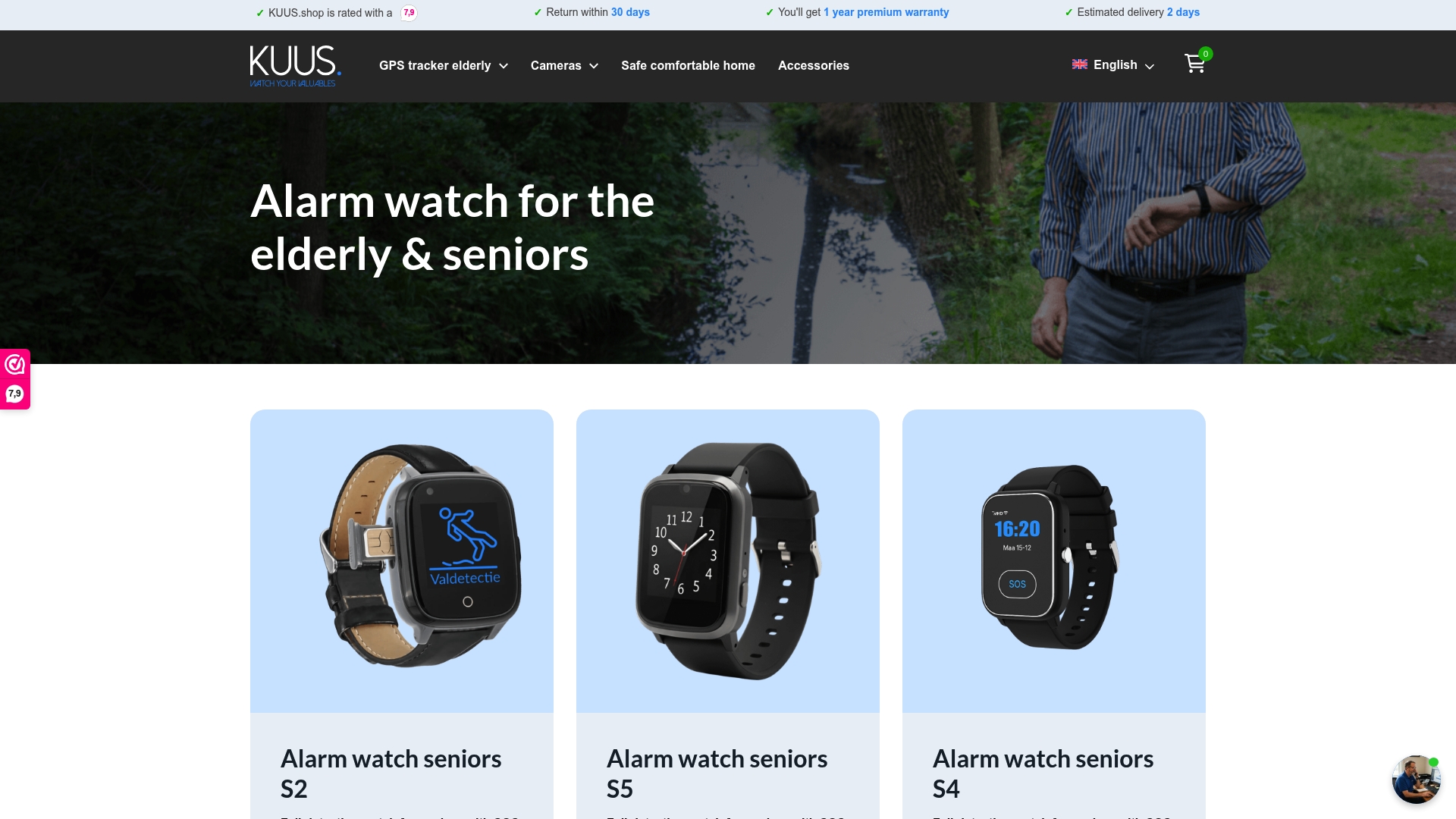
Finding a trustworthy senior safety device does not have to be complicated. Our GPS watches combine smart location alerts, customizable safe zones, and automatic fall detection into one wearable device designed specifically for seniors. There are no monthly subscription fees, setup is straightforward with a SIM card and companion app, and multiple family members can receive instant alerts.
If you are ready to take a practical next step, exploring the best GPS tracker for seniors gives you a clear comparison of available options without the subscription costs that make many competing products expensive long-term. For families weighing whether the investment makes sense, understanding the value of a senior GPS watch explains exactly what families gain beyond the device itself. Your loved one deserves safety and independence. You deserve peace of mind.
Frequently asked questions
What triggers a smart location alert for seniors?
Smart location alerts are triggered by boundary crossings when a device exits a preset geofenced zone, or when an emergency event such as a fall or SOS button press is detected. The alert is sent automatically to all registered caregivers with the device’s current location.
Are smart location alerts reliable in all locations?
Geofencing can fail if the underlying location data from GPS, Wi-Fi, or cellular signal is unavailable or weak. Low device battery is another common reason alerts may not reach caregivers, which is why daily charging habits and coverage checks matter.
Can multiple caregivers receive alerts at the same time?
Yes. Most modern elder-care systems allow several family members or caregivers to be registered and receive instant notifications simultaneously. This is one of the most important features to confirm before purchasing, as caregiver notification options vary between products.
Do smart alerts work only for wandering, or can they help in falls?
Advanced systems combine both capabilities. Fall detection paired with location alerts means caregivers receive a notification with GPS coordinates the moment a fall is detected, whether the senior is inside the home or outside the safe zone, giving families a complete picture of the situation immediately.