




Picking a GPS tracker for an elderly parent or loved one can feel overwhelming. The market is packed with devices that all claim to be the safest, simplest, and most reliable option. Without a clear framework, it is easy to spend money on a device that the senior refuses to wear or that lacks a critical feature. A structured checklist changes that. It helps you focus on what actually matters: the senior’s daily routine, comfort level, and real safety needs. This guide walks you through every step, from defining your goals to comparing device types and making a confident final choice.
Table of Contents
- Clarify your needs and tracking goals
- Compare GPS tracker types: Wearables, pendants, and apps
- Key checklist features to evaluate
- Privacy, consent, and autonomy: What families must consider
- Compare top tracker options for seniors
- Making the final decision: Tips for stress-free selection
- Find a trusted senior GPS tracker with KUUS
- Frequently asked questions
Key Takeaways
| Point | Details |
|---|---|
| Identify your goals | Start by understanding exactly why you need a GPS tracker and what outcomes matter most for your loved one. |
| Match device to daily life | Choose a tracker that fits the senior’s habits and preferences to increase consistent daily use. |
| Prioritize safety and privacy | Ensure the tracker offers essential emergency features and protects data with clear privacy standards. |
| Involve your loved one | Discuss tracking openly with the senior and build trust so everyone is comfortable with the solution. |
| Test before committing | Whenever possible, trial the device with the senior to ensure it’s comfortable, reliable, and easy to use. |
Clarify your needs and tracking goals
Before you look at a single product, you need to understand exactly why you need a GPS tracker. The reason shapes every decision that follows. Understanding the purpose is essential in selecting the right GPS tracker, whether that purpose is preventing wandering in dementia or supporting a fall-risk senior who lives alone.
Common use cases include:
- Dementia and wandering: Seniors with cognitive decline may leave home and become disoriented quickly. Real-time location updates are critical here.
- Fall risk: A senior who lives alone and has a history of falls needs immediate alert capability, not just location tracking.
- Greater independence: Some seniors simply want the freedom to go out without family worrying. A lightweight tracker gives both sides peace of mind.
- Emergency response: Fast SOS access matters for anyone with a chronic health condition.
Start by having an honest conversation with the senior and any other caregivers involved. Discuss daily routines, risk factors, and how comfortable the senior is with technology. Then set clear tracking goals. Do you need constant real-time updates, geofence alerts when someone leaves a safe zone, or just a way to check in occasionally? Knowing this narrows your options fast.
For guidance on monitoring dementia safety or setting up remote monitoring for seniors, it helps to review dedicated resources before making any purchase.
Pro Tip: Involve a doctor, occupational therapist, or care manager in the assessment. They can give an objective view of the senior’s actual risk level, which prevents both over-monitoring and under-protecting.
Compare GPS tracker types: Wearables, pendants, and apps
With your needs defined, the next step is understanding the three main device formats. Exploring device types such as wristbands, pendants, and apps is a key part of choosing the right tracker for seniors.
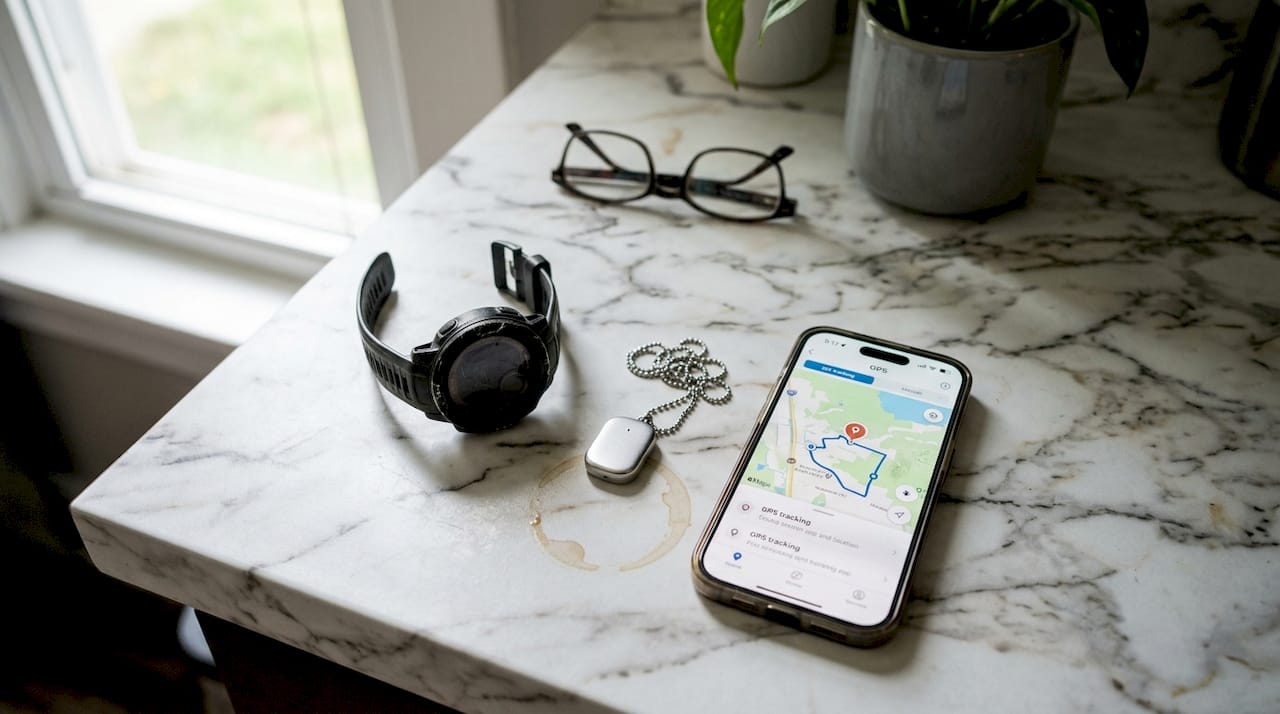
| Device type | Pros | Cons | Best for |
|---|---|---|---|
| Wrist-worn watch/tracker | Always visible, hard to forget, two-way calling possible | Bulkier, needs charging | Dementia, fall risk, active seniors |
| Pendant/necklace | Lightweight, discreet | Easier to remove or lose, limited features | Seniors who dislike wristbands |
| Mobile app-based | No extra device needed | Requires smartphone use, easy to forget | Tech-savvy, independent seniors |
Key factors to weigh when comparing formats:
- Comfort and wearability: Will the senior actually wear it every day?
- Battery life: A device that needs daily charging may be forgotten or ignored.
- Visibility: Can the senior easily find and press the SOS button in a stressful moment?
- Subscription requirements: Some devices require monthly fees; others do not.
- Device reliability: Check user reviews for signal consistency and app stability.
For a deeper look at how GPS smartwatches for seniors compare to phone-based solutions, or to understand the value of GPS watches for daily elder care, those resources offer practical detail. You can also review what makes a smartwatch for the elderly genuinely user-friendly.
Pro Tip: Wrist-worn devices are less likely to be forgotten or removed compared to pendants. For seniors with dementia, this consistency is especially valuable since the device needs to be on the body to work.
Key checklist features to evaluate
Once you know which device format fits best, focus on the specific features inside the device. Evaluating key features such as real-time tracking, geofencing, SOS button, battery life, and durability is critical to making a safe choice.
Here is a practical checklist to use when reviewing any device:
- Real-time GPS tracking – Can family members see the exact location at any moment?
- SOS button – Is it large, clearly labeled, and easy to press under stress?
- Two-way calling – Can the senior speak directly through the device without a phone?
- Geofencing alerts – Does the device notify caregivers when the senior leaves a set area?
- Fall detection – Does it automatically trigger an alert if a fall is detected?
- Waterproof rating – Is it safe to wear in the shower or rain? 💧
- Battery life – How long does it last on a single charge?
- App integration – Is the companion app simple enough for all family members to use?
- Setup simplicity – Can it be activated with a SIM card or a basic app without technical expertise?
- Customer support – Does the company offer accessible help when something goes wrong?
Devices that offer GPS tracking without a subscription are worth prioritizing, since ongoing monthly costs add up quickly. Review the benefits of senior GPS watches to understand which features deliver the most real-world value.
“Always select devices with clear privacy policies and multi-factor authentication to protect both the senior and the family’s data.”
This is not a minor detail. Data security matters as much as GPS accuracy.
Privacy, consent, and autonomy: What families must consider
After reviewing technical features, it is vital to consider the human side of GPS tracking. Obtaining consent through open discussion, checking data protection compliance, and balancing safety with autonomy are all essential steps that families often skip.
Tracking a person without their knowledge or agreement is not just ethically wrong. It can damage trust and cause the senior to resist using the device entirely. Always have an open conversation first.
Privacy checklist for families:
- Discuss openly: Explain what the device does, who can see the location, and when alerts are triggered.
- Respect the senior’s input: If they have concerns, address them. Adjust settings to limit tracking to emergency situations only if needed.
- Check the privacy policy: Does the company clearly state how location data is stored and shared?
- Verify data protection compliance: Look for GDPR compliance or equivalent data protection standards.
- Review security features: Does the device use encrypted data transmission?
- Customize alert settings: Can monitoring be adjusted so the senior does not feel constantly watched?
For practical guidance on respecting senior autonomy while keeping safety in place, that resource covers the balance well.
“Building trust through open discussion about device use greatly reduces resistance and leads to better long-term acceptance.”
Pro Tip: Avoid any product that does not offer a transparent privacy policy or the ability to limit tracking scope. If a company cannot clearly explain how data is used, that is a red flag.
Compare top tracker options for seniors
With features and privacy issues mapped out, it helps to see how different tracker types perform side by side. Balancing safety and autonomy is key, especially since some seniors may resist wearables altogether.
| Tracker type | Key features | Best use case | Subscription needed? |
|---|---|---|---|
| GPS smartwatch with SOS | Real-time GPS, SOS button, two-way call, fall detection | Dementia, fall risk, active seniors | Often no |
| GPS pendant | Lightweight, SOS button, basic GPS | Seniors who dislike watches | Sometimes |
| Mobile app tracker | Uses smartphone GPS, family sharing | Independent, tech-comfortable seniors | Usually yes |
| Basic personal alarm | SOS button only, no GPS | Home-based emergencies | No |
Quick matching guide: Tracker type by care scenario
| Care scenario | Recommended tracker type |
|---|---|
| Dementia or wandering risk | GPS smartwatch with geofencing |
| High fall risk, lives alone | GPS watch with fall detection and SOS |
| Active senior, wants independence | Lightweight GPS watch or pendant |
| Tech-savvy senior with smartphone | Mobile app-based tracker |
| Home-only safety concern | Personal alarm button |
For seniors in assisted living or care settings, options designed for trackers in care settings offer features suited to that environment. Families looking for cost-effective solutions should also explore best GPS trackers without subscription to avoid ongoing fees.
Research consistently shows that wrist-worn GPS trackers have the highest daily wear compliance among seniors, making them the most practical choice for continuous safety monitoring in most situations.
Making the final decision: Tips for stress-free selection
You have done the research. Now it is time to move from comparison to action. Addressing privacy and autonomy concerns through open discussion is crucial for long-term acceptance, so keep that conversation going as you finalize your choice.
Follow these steps to make the process smooth:
- Shortlist 2 to 3 devices that meet your checklist criteria. Do not evaluate more than three at once or the decision becomes paralyzing.
- Check for trial options or return policies. A 30-day return window lets you test the device in real conditions without financial risk.
- Read real user reviews. Focus on reviews from caregivers or family members, not just product descriptions. Look for comments about battery life, ease of use, and customer support.
- Test the device with the senior before committing. Have them wear it for a day or two. Watch how they interact with it. Can they find the SOS button easily?
- Walk the senior through the key functions. Show them how to use the emergency button, how to charge the device, and when to wear it.
- Set a daily routine around the tracker. Pair charging with an existing habit, like charging overnight next to the phone or glasses.
For seniors who need a simple, reliable option, reviewing what a SOS smartwatch for seniors offers in terms of usability can help confirm the right fit.
Final readiness checklist before buying:
- [ ] Device meets all core feature requirements
- [ ] Senior has agreed to wear it and understands how it works
- [ ] Privacy policy reviewed and accepted
- [ ] Family members or caregivers have access to the companion app
- [ ] Charging routine is planned
- [ ] Customer support contact is saved
Pro Tip: Set a weekly reminder on your own phone to check that the tracker is charged and functioning. A device with a dead battery provides no protection at all.
Find a trusted senior GPS tracker with KUUS
You now have a complete, practical checklist to guide your decision. The next step is finding a device that actually checks every box. KUUS offers a carefully selected range of GPS watches, SOS alarm watches, and personal alarm buttons designed specifically for seniors, with no monthly subscription required.
Every device in the KUUS range is built around the features that matter most: a clear SOS button, real-time GPS location sharing, fall detection, two-way calling, and a waterproof design suited for daily wear. Setup is simple, and the devices are designed to be used without technical expertise. Browse the top senior GPS trackers to find the right fit, shop senior GPS trackers directly, or compare senior SOS watches side by side to make a confident, informed choice.
Frequently asked questions
What is the most important feature in a senior GPS tracker?
Real-time tracking and a simple SOS button are the two most essential features, as they enable fast emergency response and accurate location sharing when every second counts.
How do I discuss GPS tracking with my elderly parent without upsetting them?
Frame the conversation around safety and independence rather than surveillance. Open discussion about device use builds trust and significantly reduces resistance, especially when the senior feels their input is respected.
Do all senior GPS trackers require a monthly subscription?
No. Some GPS trackers for seniors work without a monthly subscription, which makes them more affordable long-term. Subscription requirements vary by device type, so always confirm the cost structure before purchasing.
How can I ensure the GPS tracker protects my loved one’s privacy?
Choose devices with a transparent privacy policy, encrypted data transmission, and customizable alert settings. Always obtain consent and check GDPR compliance before activating any tracking feature.