



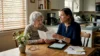
As your aging parent or loved one continues living independently, you face a daily challenge: how do you ensure their safety from miles away? Falls, wandering, and medical emergencies can happen in seconds, leaving you anxious and uncertain. Remote monitoring technology offers a practical solution, allowing you to track location, detect falls, and respond instantly to emergencies. This guide walks you through selecting devices, setting up systems, troubleshooting issues, and verifying your loved one stays safe without compromising their independence or dignity.
Table of Contents
- Key takeaways
- What you need to prepare before monitoring seniors remotely
- Step-by-step instructions to set up and use remote monitoring tools
- Common pitfalls and troubleshooting tips for reliable remote senior monitoring
- Verifying results and ensuring ongoing safety with remote monitoring
- Find the right GPS alarm watches and cameras for seniors
- Frequently asked questions
Key Takeaways
| Point | Details |
|---|---|
| Safety benefits | Remote monitoring helps detect falls and medical emergencies quickly to protect aging loved ones who live independently. |
| Tailor device choices | Choose monitoring tools based on the senior’s risks, routines, and living situation to address real safety needs. |
| Ensure reliable connectivity | Verify stable WiFi or cellular coverage where the user spends time to prevent delayed alerts and missed notifications. |
| Focus on usability | Select devices with simple interfaces and minimal setup so they work without heavy tech involvement by the senior. |
| Test and maintain alerts | Set up test alerts with all emergency contacts and regularly verify that notifications reach the right people. |
What you need to prepare before monitoring seniors remotely
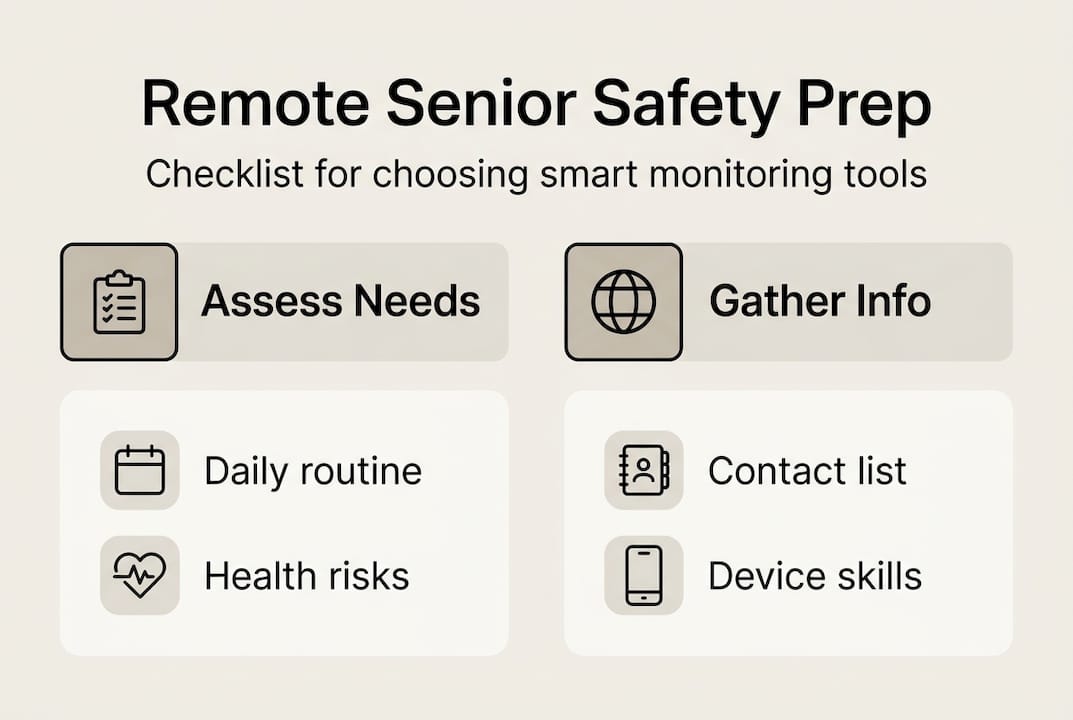
Before purchasing any device, assess your loved one’s specific safety risks and daily routines. Does your parent have a history of falls? Do they wander due to early dementia? Are they managing chronic conditions that require medication reminders? Answering these questions helps you identify which monitoring features matter most. A senior with balance issues needs fall detection, while someone with memory problems benefits from GPS location tracking and geofencing alerts.
Next, evaluate the technical environment at their home. Remote monitoring requires stable internet via Wi-Fi or cellular connectivity through a SIM card. Check signal strength in key areas where your loved one spends time. Weak connectivity causes delayed alerts and missed notifications, defeating the purpose of monitoring. If Wi-Fi is unreliable, consider devices with built-in cellular capabilities that don’t depend on home networks.
Choosing devices tailored to seniors’ specific risks like falls or memory loss is critical. GPS alarm watches combine location tracking with emergency SOS buttons, allowing seniors to call for help with one press. Mini spy cameras provide visual monitoring of living spaces, helping you verify safety without constant phone calls. Personal alarm buttons worn as pendants offer discreet emergency access. Each device type serves different needs, so match technology to your loved one’s comfort level and mobility patterns.
Consider your senior’s tech familiarity when selecting devices. Complex systems with multiple buttons and settings frustrate users who aren’t comfortable with technology. Look for devices with large, clearly labeled buttons, simple interfaces, and minimal setup requirements on the senior’s end. The best monitoring tools work seamlessly in the background, requiring little to no interaction from the person being monitored.
Pro Tip: Create a written checklist of your loved one’s daily activities, health conditions, and safety concerns before shopping for devices. This ensures you select monitoring tools that address real needs rather than adding unnecessary features that complicate use.
Here’s a comparison of common monitoring device types:
| Device Type | Best For | Key Features | Setup Complexity |
|---|---|---|---|
| GPS Alarm Watch | Active seniors, fall risk, wandering | Location tracking, SOS button, fall detection, two-way calls | Low |
| Home Security Camera | Stationary monitoring, visual verification | Live video, motion alerts, night vision | Medium |
| Wearable Pendant | Medical emergencies, limited mobility | Emergency button, 24/7 monitoring service | Low |
| Smart Sensors | Detecting unusual patterns, passive monitoring | Door/motion sensors, activity tracking | Medium to High |
Gather emergency contact information for family members, neighbors, and medical providers who should receive alerts. Most monitoring systems allow multiple contacts, ensuring someone always responds when alerts trigger. Test that all contacts can receive notifications on their devices before finalizing setup.
Knowing what you need, let’s move step-by-step through setting up remote monitoring devices.
Step-by-step instructions to set up and use remote monitoring tools
Setting up monitoring devices correctly prevents frustration and ensures reliable operation when emergencies occur. Follow these steps systematically:
Unbox and charge all devices fully before configuration. Most GPS watches and alarm buttons arrive partially charged but need full power for initial pairing and testing. Charge devices for at least two hours or until indicators show 100% battery. Read included quick-start guides to identify buttons, ports, and indicator lights.
Download companion apps on your smartphone. Search your device manufacturer’s name in the App Store or Google Play. Install the official app and create an account using a strong password. Grant necessary permissions for location access, notifications, and contacts when prompted. These permissions enable the app to receive alerts and display your loved one’s location.
Pair devices with apps following manufacturer instructions. Most devices use Bluetooth or QR codes for initial pairing. Power on the device, open the app, and select “Add Device” or similar option. Follow on-screen prompts to complete pairing. If using a SIM card for cellular connectivity, insert it before powering on, ensuring it’s activated with your carrier.
Configure user profiles and emergency contacts. Enter your loved one’s name, photo, and relevant medical information in the app. Add at least three emergency contacts with phone numbers and email addresses. Prioritize contacts by response likelihood, placing the most reliable person first. Test that contacts receive notifications by triggering a manual test alert.
Set alert preferences and sensitivity levels. Configure which events trigger notifications: falls, SOS button presses, low battery, geofence exits, or extended inactivity. Start with moderate sensitivity settings to avoid false alarms while ensuring real emergencies aren’t missed. You can adjust sensitivity after observing how the device performs in daily use.
Perform comprehensive initial tests. Have your loved one wear the device and press the SOS button while you monitor the app. Verify you receive alerts within seconds. Test fall detection by having them simulate sitting down quickly or dropping the device from waist height onto a soft surface. Check that GPS location displays accurately on the app map. Make test calls using two-way communication features if available.
Proper device setup and testing are essential to ensure reliable operation and timely alerts. Skipping testing steps leads to surprises during actual emergencies when you discover features don’t work as expected.
Pro Tip: Name devices descriptively in your app, especially if monitoring multiple seniors. Use “Mom’s GPS Watch” or “Dad’s Home Camera” instead of generic model numbers. Enable automatic software updates in device settings so you always have the latest security patches and features without manual intervention.
Once your devices are set up, it’s important to know how to monitor effectively and avoid common mistakes.
Common pitfalls and troubleshooting tips for reliable remote senior monitoring
Even well-configured systems fail when caregivers overlook routine maintenance or misunderstand alert settings. Avoid these frequent mistakes:
Neglecting software updates. Manufacturers release firmware updates that fix bugs, improve battery life, and enhance alert accuracy. Enable automatic updates or check monthly for new versions. Outdated software causes connectivity drops and missed notifications that compromise safety.
Ignoring signal strength issues. Devices need strong Wi-Fi or cellular signals to transmit alerts and location data. If your loved one’s home has dead zones, reposition routers or consider signal boosters. GPS watches with cellular connectivity work better than Wi-Fi-dependent devices for seniors who spend time outdoors or in areas with weak home networks.
Setting overly sensitive alert thresholds. New users often maximize sensitivity, hoping to catch every possible incident. This backfires, generating dozens of false alarms from normal activities like sitting down quickly or reaching for objects. False alarms cause alert fatigue, making you less responsive when real emergencies occur. Start with moderate settings and adjust based on actual use patterns.
Forgetting battery maintenance. Most wearable devices need charging every two to five days depending on features used. Set phone reminders to check battery levels or enable low-battery alerts. Some seniors forget to charge devices regularly, leaving them unprotected. Consider devices with longer battery life or charging docks that make recharging simple.
Misconfigured alert settings and poor connectivity cause many false alarms and missed notifications. Taking time to optimize settings prevents frustration and maintains trust in the monitoring system.
When troubleshooting connectivity problems, restart devices and apps first. Power cycling resolves most temporary glitches. If issues persist, verify the SIM card is properly inserted and activated if using cellular devices. Check that your smartphone has a stable internet connection to receive alerts. Contact manufacturer support if problems continue after basic troubleshooting.
Safety Warning: Never ignore alerts, even if you’ve experienced false alarms. Each notification requires verification through app location checks, two-way calls, or contacting neighbors. Assuming alerts are false without checking can delay response during genuine emergencies.
Test your monitoring system monthly by having your loved one trigger alerts intentionally. This confirms devices, apps, and contact notifications work correctly. Monthly testing also familiarizes seniors with emergency procedures, reducing panic if they need help.
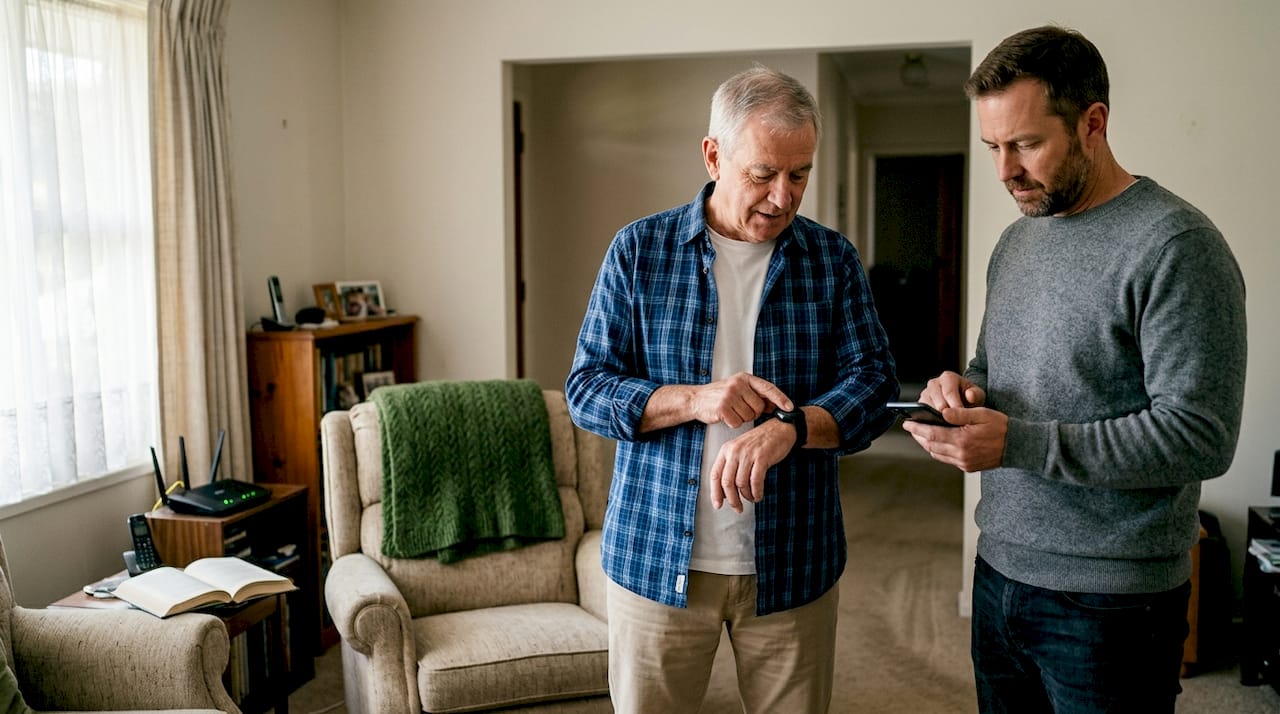
With troubleshooting in mind, let’s understand the results you can expect and how to verify your elderly loved one’s safety remotely.
Verifying results and ensuring ongoing safety with remote monitoring
Effective monitoring requires active engagement with the data and alerts your devices provide. Passive installation without regular review misses the system’s full protective value.
Understand the difference between monitoring approaches:
| Approach | Description | Best For | Limitations |
|---|---|---|---|
| Passive Monitoring | Devices send alerts only when triggered by falls, SOS, or geofence violations | Seniors who resist frequent check-ins, maintaining independence | May miss gradual health declines or non-emergency concerns |
| Active Check-ins | Regular scheduled calls or app reviews combined with automated alerts | Higher-risk seniors, those with progressive conditions | Can feel intrusive if overdone, requires caregiver time commitment |
Use alert logs within your monitoring app to track patterns over time. Frequent fall alerts in specific locations might indicate hazards like loose rugs or poor lighting that need addressing. Unusual activity patterns, such as staying in bed longer than normal or reduced movement, can signal health changes requiring medical attention.
Schedule weekly reviews of device performance and your loved one’s condition. Check battery levels, test alert delivery, and verify GPS accuracy. During phone calls with your senior, ask about device comfort and any technical issues they’ve noticed. Their feedback helps you adjust settings or switch devices if current tools aren’t working well.
Recognize signs that indicate monitoring needs upgrading or in-person care:
- Multiple falls per week despite environmental modifications
- Wandering incidents increasing in frequency or distance from home
- Confusion during two-way calls through monitoring devices
- Resistance to wearing devices or repeatedly removing them
- Medical conditions worsening beyond what remote monitoring can address
Continuous data review and prompt action improve seniors’ safety and quality of life. Monitoring technology supplements but doesn’t replace human judgment and periodic in-person visits.
Pro Tip: Involve your loved one in monitoring discussions from the start. Explain how devices provide freedom to stay independent while giving you peace of mind. Seniors who understand the benefits cooperate better with wearing devices and reporting issues. Frame monitoring as enabling independence rather than restricting it.
After learning what to expect and how to verify safety, consider solutions that can help you get started seamlessly.
Find the right GPS alarm watches and cameras for seniors
Protecting your loved one remotely becomes simple with the right tools designed specifically for senior safety. GPS alarm watches and cameras from KUUS combine essential monitoring features in user-friendly devices that seniors actually wear and use. These watches include one-button SOS emergency calls, automatic fall detection, and real-time GPS location tracking, giving you instant visibility when help is needed.
Unlike complicated smartwatches with dozens of confusing features, KUUS devices focus on what matters: keeping seniors safe. Large, clearly labeled buttons make emergency calls effortless, even for those with limited tech experience. Two-way voice communication lets you speak directly through the watch, verifying situations without requiring your loved one to find their phone. Waterproof designs mean devices work during daily activities without worry.
Mini spy cameras provide additional home monitoring, letting you check living spaces visually when alerts trigger or during routine check-ins. Real-time alerts notify you of unusual activity, while smartphone app integration keeps you connected anywhere. No monthly subscription fees mean predictable costs without ongoing charges.
Pro Tip: Combine GPS alarm watches with strategic camera placement for comprehensive coverage. Position cameras in high-risk areas like bathrooms and stairways while watches provide protection during outdoor activities and errands.
To finalize your remote monitoring knowledge, let’s answer common questions caregivers have about this process.
Frequently asked questions
How does fall detection work in remote monitoring devices?
Fall detection uses accelerometers and gyroscopes that measure sudden changes in movement and orientation. When sensors detect impact patterns consistent with falls, devices automatically send alerts to emergency contacts with GPS location. This technology reduces response time during emergencies, potentially preventing serious injuries from prolonged immobility after falls.
What if the senior is not tech-savvy, can they still use remote monitoring devices?
Many devices like GPS alarm watches feature simple one-button emergency calls designed specifically for easy use by seniors unfamiliar with technology. Caregivers handle all app monitoring and configuration remotely without requiring seniors to manage complicated settings. The senior only needs to wear the device and press the SOS button if help is needed.
How to troubleshoot connectivity problems with remote monitoring?
Check that your loved one’s home has strong Wi-Fi or cellular signal in areas where devices are used most. Restart both the monitoring device and your smartphone app to clear temporary glitches. Keep device software updated through automatic updates, as manufacturers regularly release fixes for connectivity issues. If problems persist, contact device support to verify SIM card activation or network compatibility.
Can I monitor multiple seniors or devices simultaneously?
Most monitoring apps allow adding several devices and switching between user profiles easily through a single interface. This enables caregivers to look after multiple seniors, such as both parents, without confusion or missed alerts. Each device maintains separate settings, contacts, and alert histories for organized management.
How accurate is GPS location tracking in monitoring devices?
GPS accuracy typically ranges from 10 to 50 feet in open areas with clear sky visibility, sufficient for locating seniors during emergencies. Accuracy decreases indoors or in dense urban areas with tall buildings. Devices using assisted GPS with cellular triangulation improve indoor location precision, though exact room-level accuracy isn’t guaranteed in all situations.