



TL;DR:
- Wearable technology in senior care provides risk screening, real-time alerts, and location tracking but does not prevent falls entirely. Its effectiveness depends on proper use, privacy considerations, and integration into a comprehensive safety plan. Trust and ongoing communication are crucial for successful adoption and meaningful safety improvements.
Many people assume wearable tech completely prevents falls for older adults living alone. That belief feels comforting, but it’s not accurate. The role of wearable tech in senior care is more specific and more nuanced than most families realize. These devices are powerful tools for risk screening, real-time alerts, and location tracking, but they work best when paired with caregiver support, home safety changes, and honest conversations about privacy. This guide walks you through what wearables can and cannot do, how to evaluate the evidence, and how to choose a device that genuinely fits your loved one’s life.
Table of Contents
- Understanding wearable technology in senior care
- How wearables help predict and detect falls
- Balancing safety with privacy in wearable use
- Real-world use: engagement and challenges with wearable feedback
- Integrating wearable tech into comprehensive senior care
- Rethinking wearable tech in senior care: what’s often overlooked
- Explore wearable safety solutions for independent seniors
- Frequently asked questions
Key Takeaways
| Point | Details |
|---|---|
| Wearables aid early fall risk screening | Wearable devices have good specificity, making them useful for identifying seniors at risk but not for ruling out all falls. |
| Privacy is critical for acceptance | Respecting seniors’ privacy with transparent data use and adjustable notifications improves wearable adoption and trust. |
| User engagement needs support | Successful use of wearables depends on training and social support to integrate real-time feedback into daily routines. |
| Integration with care workflows matters | Wearables must align with clinical monitoring requirements like CMS billing rules to be effective in formal care settings. |
| No single device is sufficient | Wearables are one tool among many needed to ensure senior safety alongside home modifications and caregiver involvement. |
Understanding wearable technology in senior care
Wearable technology refers to electronic devices worn on the body that continuously monitor movement, health signals, or location. In elder care, this typically includes GPS smartwatches, wrist-worn alarm bands, fall detection sensors, and personal alarm buttons. These are not the same as consumer fitness trackers. Devices designed for seniors prioritize large buttons, clear displays, and simple interfaces over step counts.
A wearable smartwatch overview shows how modern senior wearables collect kinematic data, meaning data about body movement, posture, and walking patterns, around the clock. This is what makes them valuable. Continuous kinematic data collection, including gait analysis and postural changes, allows the device to build a baseline for that specific user. When something deviates from that baseline, an alert fires.
The core features most senior wearables share include:
- Fall detection: Automatically triggers an alarm when a sudden impact or abnormal motion is detected
- SOS button: One visible press connects the senior directly to a caregiver or family member
- GPS tracking: Shares real-time location so help can be directed quickly
- Two-way calling: Allows the senior and caregiver to speak through the watch without needing a separate phone
- Heart rate and physiological monitoring: Tracks basic health signals that flag irregular patterns
For seniors living independently, the role of technology in elderly care comes down to one thing: faster response when something goes wrong. A device worn on the wrist does not need to be found, charged on a shelf, or fetched from another room. It is always there.
How wearables help predict and detect falls
Fall detection and fall prediction are different things, and that distinction matters. Detection means the device recognizes a fall has already happened. Prediction means the device identifies risk before a fall occurs, based on gait instability or balance changes. Both are valuable. Neither is perfect.
Research published in 2026 found that wearable fall prediction shows moderate sensitivity of 0.55 and high specificity of 0.89. In plain terms: these devices correctly identify about 55% of people who will fall, and correctly rule out about 89% of people who won’t. That is meaningful for screening, but it means roughly 45% of future fallers are missed.
| Metric | Value | What it means |
|---|---|---|
| Sensitivity | 0.55 | Correctly flags 55% of seniors at real fall risk |
| Specificity | 0.89 | Correctly clears 89% of seniors who are not at risk |
| Positive likelihood ratio | Moderate | A positive alert increases fall risk probability meaningfully |
| Negative likelihood ratio | Moderate | A negative result doesn’t fully rule out fall risk |
This data shapes how families and caregivers should interpret alerts. A wearable is a screening tool, not a guarantee.
“Wearable fall data should be used as initial risk stratification, not as standalone certainty. Additional safety layers remain essential.” — Frontiers in Public Health, 2026
Understanding fall detection explained helps caregivers avoid two opposite mistakes: dismissing every alert as a false positive, or treating every alert as a confirmed emergency. The right response sits in between. When a senior alarm with fall detection fires, it means: check in, verify, and act if needed.
Pro Tip: Program a tiered response into your alert plan. A motion alert triggers a check-in call. No response within two minutes triggers an immediate physical visit or emergency contact. This prevents caregiver fatigue from false alarms while ensuring real falls get fast attention.
The benefits of health wearables for fall-related care extend beyond the alert itself. The gait data collected over weeks can inform a doctor’s clinical assessment, helping identify trends that no single office visit would reveal.
Balancing safety with privacy in wearable use
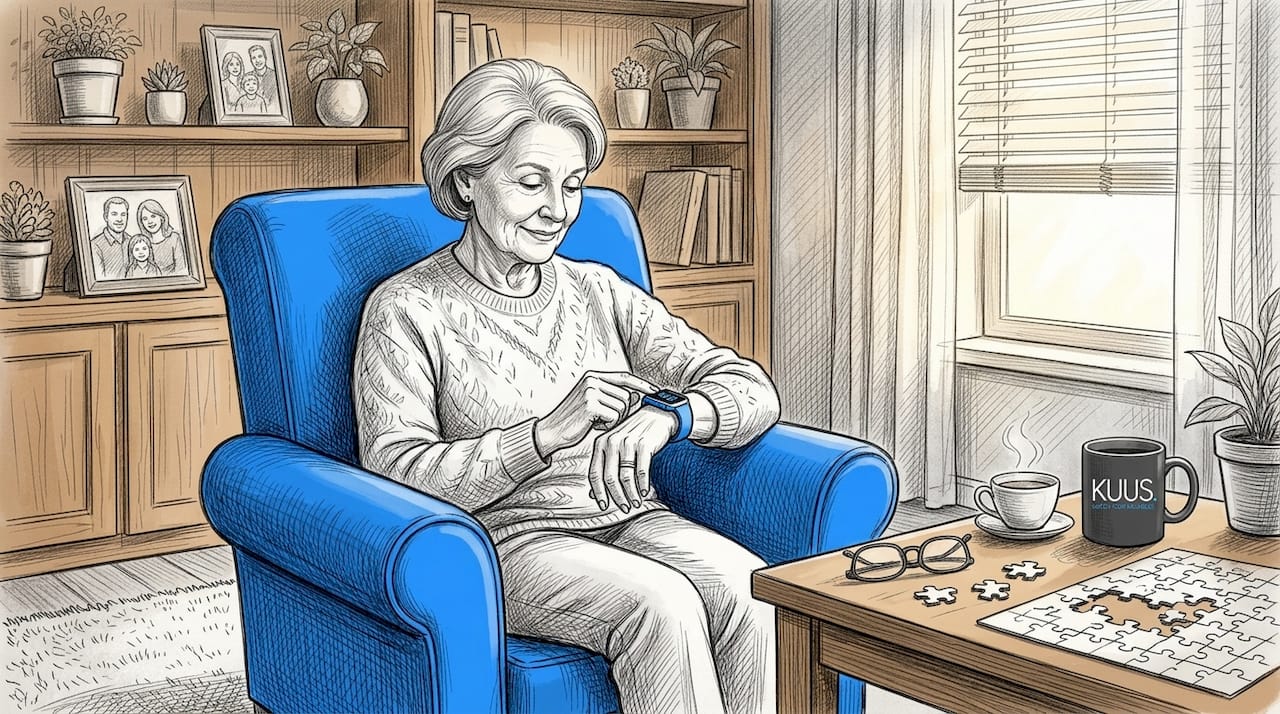
Here is what most articles skip over: privacy concerns often matter more to seniors than accuracy statistics. When a device continuously tracks location, monitors movement, and logs health data, many older adults feel watched rather than protected. That feeling can lead to the device sitting in a drawer instead of on a wrist.
Research on senior wearable adoption confirms that privacy and surveillance concerns directly affect how willing seniors are to use these devices. Trust and transparent data practices are not optional extras; they determine whether the device gets worn at all.
Practical steps to address privacy concerns:
- Involve the senior in setup: Let them choose which family members receive alerts and when
- Explain what data is collected: Location, heart rate, and movement data should be described clearly, not hidden in terms-of-service language
- Use customizable notification settings: Alerts that fire too frequently feel intrusive; adjustable thresholds prevent this
- Clarify guardianship boundaries: For seniors with early dementia, legal clarity about who can access data protects everyone
- Choose devices with clear data policies: No vague third-party sharing; data should stay within the family network
The role of caregivers in senior technology is not just technical setup. It is the ongoing conversation that frames wearables as a tool the senior controls, not a monitoring system imposed on them. That reframing significantly improves long-term adherence.
Pro Tip: Before purchasing any device, ask the provider one direct question: “Who else can access this data, and under what conditions?” If the answer is unclear or evasive, choose a different product. GPS security for seniors should mean security for the senior, not just security about their whereabouts.
Real-world use: engagement and challenges with wearable feedback
Research on the lived experience of older adults using wearables with real-time feedback reveals something most tech reviews never mention. The feedback itself, whether it is a vibration, a sound, or a visual cue, can actually disrupt movement rather than help it. A senior who is concentrating on walking steadily and suddenly feels the watch vibrate may lose the very focus the device is trying to support.
A 2026 phenomenological study in JMIR mHealth and uHealth found that older adults may find real-time feedback disruptive at first, and that sustained, caregiver-supported practice is what enables devices to actually improve movement awareness over time.
“Real-time feedback has dual potential: it can interrupt natural movement or, with practice, enhance body awareness in ways that reduce fall risk.” — JMIR mHealth and uHealth, 2026
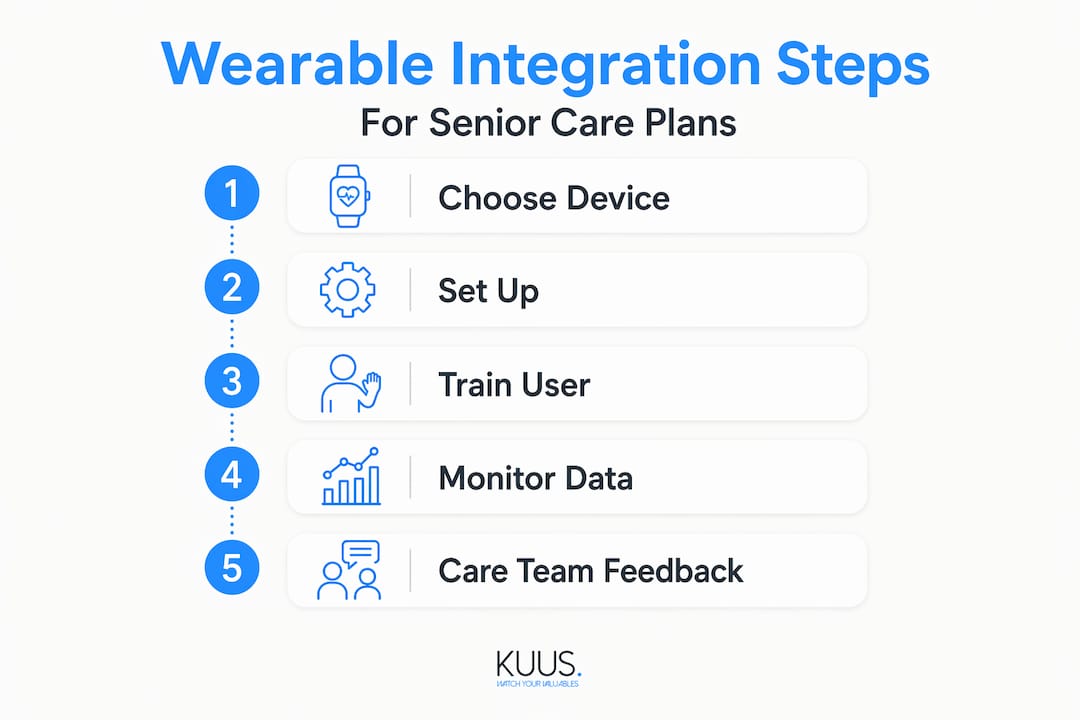
The wearable safety support process works better when it follows a structured onboarding approach:
- Week 1: Wear only. No active feedback features. The goal is comfort and habituation to the device on the wrist.
- Week 2: Passive monitoring. Enable data collection but keep alerts minimal. Review data together with a caregiver.
- Week 3: Introduce one alert type. Start with SOS-only functionality. Let the senior practice pressing the button in non-emergency situations.
- Week 4: Add fall detection. Explain what it monitors and what happens when it fires. Run a test alert together.
- Ongoing: Weekly check-ins. Review any alerts from the previous week. Discuss what felt useful and what felt intrusive.
Social support makes this process work. When a family member or caregiver reviews the data with the senior, rather than just monitoring them from a distance, the senior feels involved rather than surveilled. That shift changes everything.
Integrating wearable tech into comprehensive senior care
For families managing care at home, the practical requirements of integrating a wearable into an actual care plan are often underestimated. Monitoring seniors with technology is not just about wearing a device. It involves data transmission, clinical workflows, and sometimes reimbursement eligibility.
Under current Medicare rules, CMS requires at least 16 days of data transmission within a 30-day period for remote physiologic monitoring billing to apply. That means a device that is taken off for several days each month may disqualify a care program from reimbursement. Device selection has direct financial consequences.
| Wearable type | Clinical integration | Data transmission | Adherence challenge |
|---|---|---|---|
| GPS alarm watch | Low complexity | Location and alert logs | Charging compliance |
| Physiologic monitor | High complexity | Daily biometric streams | Comfort and habituation |
| Fall detection band | Moderate complexity | Event-triggered | False positive fatigue |
| Personal alarm button | Low complexity | Alert-only | Must be worn consistently |
A separate concern highlighted by the scoping review on fall detection technologies is that most wearable studies rely on simulated falls in laboratory settings. Real-world validation, long-term adherence, and cost-effectiveness data remain limited. That doesn’t mean the devices aren’t useful. It means families should choose based on practical fit, not just published accuracy numbers.
A remote monitoring guide helps families navigate these decisions. Practical steps for choosing and maintaining a wearable in a senior care plan include checking battery life against daily routines, confirming the SIM card setup works in the senior’s specific location, testing the two-way call feature before relying on it in an emergency, and scheduling a quarterly review of device settings with whoever manages the care plan.
Rethinking wearable tech in senior care: what’s often overlooked
The honest truth is that most wearable technology fails seniors not because the accuracy is too low, but because the adoption is too shallow. A device with 89% specificity sitting in a drawer has zero specificity. And yet the conversation in elder care still centers almost entirely on features and detection rates.
What actually determines success is trust. Privacy concerns are often the hidden gatekeeper for wearable adoption, outweighing accuracy concerns for many seniors. A senior who feels their watch is “spying on them” will stop wearing it within weeks, regardless of how good the fall detection algorithm is.
There is also a misalignment between how wearables are marketed and how they are used. Families buy a device hoping it will give them peace of mind. Seniors wear it hoping to preserve their independence. Those are related goals but not identical ones. When the device is framed entirely as a safety tool for the family, the senior loses ownership of it. When it is framed as a tool that lets them call for help on their own terms, adherence improves significantly.
The elderly care technology trends of 2026 point toward devices that do more with less friction: smaller, waterproof, no subscription fees, and interfaces designed for people who didn’t grow up with smartphones. That is the right direction. But technology alone won’t close the gap. The real work is the ongoing conversation between seniors, caregivers, and families about what the device means and who it serves.
Consulting alarm watch interface insights before purchase helps families choose devices that seniors will actually want to wear, not just devices with impressive spec sheets.
Pro Tip: Involve the senior in choosing the device, not just setting it up. When someone picks their own watch, they wear it more.
Explore wearable safety solutions for independent seniors
You now have a clear picture of what wearable tech can realistically do in senior care. The next step is finding a device that matches those realistic expectations.
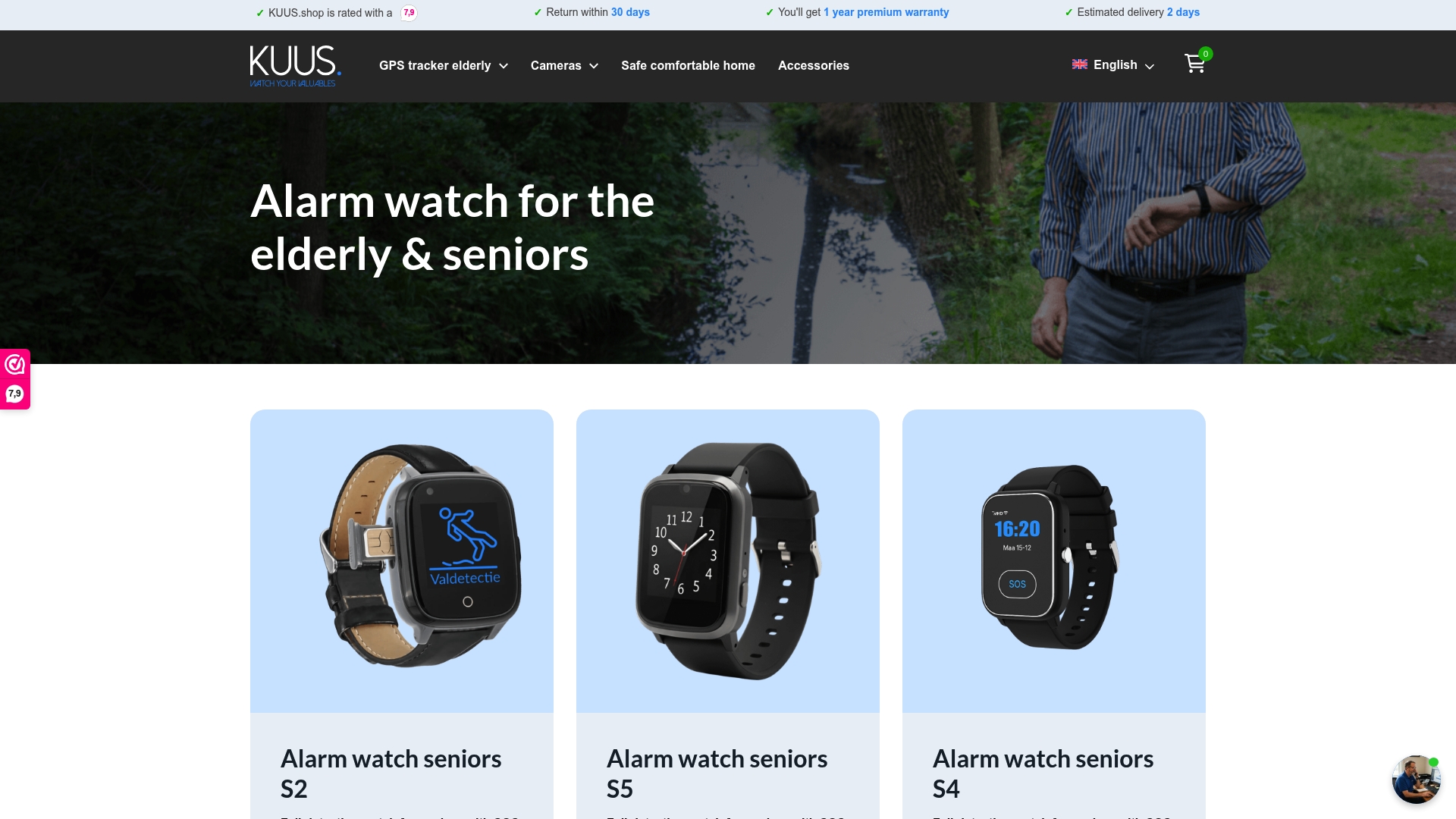
At KUUS, the focus is on GPS alarm watches built specifically for seniors who value both safety and independence. These devices include automatic fall detection, a one-press SOS button, real-time GPS location sharing, and two-way calling, all without monthly subscription costs. They are waterproof 💧, simple to set up with a SIM card, and designed with large icons that don’t require a learning curve. If you want to understand the full value a GPS watch can offer, the GPS watch benefits for seniors guide is a practical starting point. For families researching personal alarm options, the senior alarm button protection overview covers what to look for. You can browse all current options, including an alarm watch without subscription, directly on the KUUS website.
Frequently asked questions
How accurate are wearable devices at predicting falls in seniors?
Wearables show moderate sensitivity of 0.55 and high specificity of 0.89 for fall prediction, making them reliable screening tools but not definitive diagnostic devices. They work best as part of a broader fall prevention plan that includes home safety adjustments and clinical follow-up.
What privacy concerns exist with wearable tech for elderly care?
The main concerns center on perceived surveillance and loss of control over personal data. Privacy and surveillance concerns directly affect adoption, so choosing devices with transparent data policies and customizable alert settings is essential for sustained use.
Do seniors need training to use wearables effectively?
Yes. Older adults benefit from extended practice and caregiver coaching to integrate real-time feedback wearables into daily life. A phased onboarding approach, starting with passive wear and gradually adding alert features, significantly improves long-term engagement.
How often must data be transmitted for clinical remote monitoring reimbursement?
CMS requires data transmission on at least 16 days within a 30-day period for remote physiologic monitoring billing under CPT 99454. Families working with healthcare providers should confirm their chosen device meets this threshold before enrolling in a monitored care program.