



TL;DR:
- User-friendly senior smartwatches feature large displays, simple navigation, and automatic safety functions.
- Fall detection effectiveness varies; high-impact falls are detected well, but softer falls are harder to identify.
- For seniors with dementia, voice activation, GPS safe zones, and button-free operation are crucial.
Every year, 1 in 4 seniors experiences a fall, and for many families, that statistic is deeply personal. The instinct is to buy a smartwatch and feel reassured. But here is the uncomfortable truth: most consumer smartwatches are not built with your loved one in mind. Tiny icons, complex menus, daily charging requirements, and unreliable fall detection can turn a well-meaning gift into a source of frustration. This guide explains exactly what “user-friendly” means when the stakes are real, what features genuinely protect seniors at risk, and how to make a confident, informed choice for your family.
Table of Contents
- What defines a user-friendly smartwatch for seniors
- How fall detection and emergency alerts work
- Smartwatches for seniors with early-stage dementia
- Professional monitoring vs. standard smartwatches: What’s best for safety?
- What most guides miss about user-friendly smartwatches for seniors
- Find the best user-friendly smartwatch for your loved one
- Frequently asked questions
Key Takeaways
| Point | Details |
|---|---|
| Simplicity is essential | A truly user-friendly smartwatch for seniors has a simple, clear interface and easy emergency access. |
| Fall detection varies | Medical alert watches offer better soft fall detection and support than standard consumer smartwatches. |
| Caregiver integration matters | Smartwatches with caregiver connectivity improve peace of mind and emergency response. |
| Dementia requires special features | For seniors with dementia, look for voice help, GPS boundaries, and auto-answer functions. |
| Test real-world usability | Always evaluate daily habits, charging, and support needs before choosing a safety smartwatch. |
What defines a user-friendly smartwatch for seniors
With the urgency of effective support clear, it is vital to understand what “user-friendly” truly means for this audience. The term gets used loosely in product marketing, but for seniors living independently or caregivers managing safety from a distance, it has a very specific meaning.
A user-friendly smartwatch for seniors features simplified interfaces, large displays, easy navigation, automatic fall detection, GPS tracking, SOS options, two-way communication, and caregiver apps. That is the baseline. Anything short of that is a consumer device, not a safety tool.
Think about what happens when a senior with arthritis tries to swipe through a standard smartwatch menu during a moment of panic. The steps are too many, the icons too small, and the pressure too high. Real user-friendliness removes those barriers entirely.
Key features that define a senior-ready smartwatch:
- Large, high-contrast display with minimal clutter
- One-press SOS button that connects immediately to family or monitoring services
- Automatic fall detection that works without any user action
- GPS location sharing so caregivers always know where their loved one is
- Two-way calling directly from the watch
- Caregiver app integration for real-time alerts and location tracking
- Waterproof design 💧 for safe use in the shower or rain
- Multi-day battery life to reduce the risk of a dead device in an emergency
Understanding senior watch interfaces is often the first step caregivers overlook. The interface is not just about aesthetics. It directly affects whether a senior will actually use the device when it matters most.
Caregiver connectivity changes everything. When a fall or SOS event triggers an alert, caregivers receive a notification with GPS coordinates instantly. That closed loop between the wearer and the support network is what separates a genuine safety device from a fitness tracker with extra features. Reviewing must-have safety features before purchasing helps families avoid costly mistakes.
“The best smartwatch for a senior is the one they will actually wear every day and use confidently in an emergency.”
Pro Tip: Involve the senior in the selection process. A device they find comfortable and easy to operate is far more likely to be worn consistently than one chosen purely on technical specs.
How fall detection and emergency alerts work
Now that you know what features matter, let’s break down the core safety function: fall detection and emergency alerts.
Modern fall detection relies on a combination of sensors working together. An accelerometer measures sudden changes in speed and direction. A gyroscope tracks rotational movement and body orientation. Together, these sensors feed data into an algorithm that identifies patterns consistent with a fall, distinguishing them from normal movements like sitting down quickly or bending over.
Here is what typically happens after a fall is detected:
- The watch sensors detect a sudden impact and change in body position.
- An on-screen countdown begins, usually 30 to 60 seconds, giving the user a chance to cancel if it was a false alarm.
- If no cancellation occurs, the watch automatically calls a designated contact or monitoring center.
- GPS coordinates are transmitted so responders know exactly where to go.
- Two-way audio activates so the senior can speak or be spoken to directly through the watch.
The accuracy of this process varies significantly between device types. Wrist-based systems excel in high-impact falls with 90 to 95% sensitivity but miss softer falls. Research published in Frontiers in Public Health found that the Apple Watch achieves a 95% detection rate for hard falls, with less than 1% false positives, but pooled sensitivity across all fall types drops to 55%.
| Fall type | Medical alert watch | Consumer smartwatch |
|---|---|---|
| Hard/impact falls | Very high accuracy | High accuracy |
| Soft/slow falls | Moderate accuracy | Lower accuracy |
| False positive rate | Low | Very low |
| Response after detection | Monitoring center or family | Family app notification only |
| Response speed | Typically under 60 seconds | Varies by connectivity |
Soft falls, where a senior slowly slides to the floor, are actually among the most common and dangerous scenarios. They are also the hardest for wrist sensors to catch. Feasibility studies on smartwatch-based fall detection confirm this gap.
Understanding how fall detection works in practice helps set realistic expectations. No device is perfect, but knowing the limitations allows families to plan additional safety layers. The GPS smartwatch advantages become especially clear when you consider how quickly location data can guide emergency responders to the right address.
Smartwatches for seniors with early-stage dementia
Beyond falls, memory and cognitive issues mean specific features become non-negotiable.
Seniors with early-stage dementia face a different set of challenges. Wandering is one of the most frightening risks for families. A senior may leave home and become disoriented within minutes. Standard smartwatches with complex menus are simply not usable in those moments.
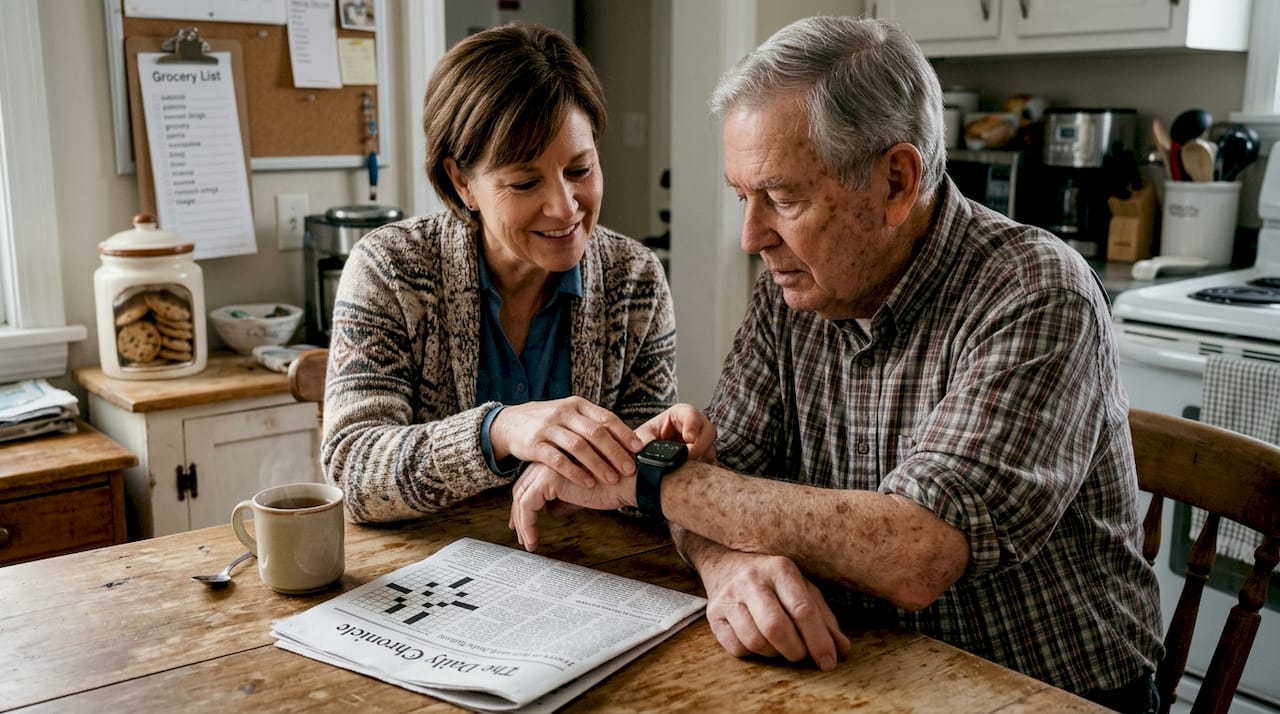
Early dementia needs include voice-activated help, auto-answer calling, GPS and proximity beacons for wandering prevention, and non-button operation. That last point is critical. A senior experiencing confusion may not remember how to press a button or navigate a screen. The device must work for them, not require them to work for it.
Must-have features for dementia-focused smartwatches:
- GPS safe zones with caregiver alerts when boundaries are crossed
- Voice activation so the user can call for help without pressing anything
- Auto-answer so caregivers can check in without the senior needing to respond
- Simple, distraction-free display
- Waterproof design 💧 for users who may wear it in the shower without thinking
- Long battery life to reduce the need for daily charging, which a senior with dementia may forget
| Feature | Dementia-focused watch | Standard medical alert watch |
|---|---|---|
| GPS safe zones | Yes | Sometimes |
| Voice activation | Yes | Rarely |
| Auto-answer calls | Yes | Rarely |
| Button-free operation | Yes | No |
| Wandering alerts | Yes | No |
| Fall detection | Yes | Yes |
Exploring elderly smartwatch solutions designed specifically for cognitive challenges reveals how much the right device can change daily life for both the senior and their caregiver. A dedicated dementia GPS tracker guide can also help families understand safe zone setup and real-time monitoring options.
For caregivers, the watch is only half the solution. The companion app matters just as much. Look for apps that offer clear dashboards, instant alerts, and location history so you can spot patterns in wandering behavior before they become emergencies.
Pro Tip: When choosing for a loved one with dementia, prioritize the caregiver experience as much as the user experience. If the app is confusing or unreliable, the device will not deliver the safety it promises.
Dementia-friendly alert watches reviewed by senior living experts consistently highlight simplicity and GPS reliability as the two most important factors.
Professional monitoring vs. standard smartwatches: What’s best for safety?
With so many choices on the market, selecting the right type is often confusing.
The core question most families face is whether to pay for professional monitoring or rely on a consumer smartwatch with family notifications. Both have real advantages, and the right answer depends on the senior’s risk level and living situation.
Medical alert watches offer professional monitoring, better soft fall detection, and caregiver support. Consumer watches have no monthly fee but may lack vital safety coverage. That trade-off is significant for high-risk seniors or those living alone.
| Factor | Medical alert watch | Consumer smartwatch |
|---|---|---|
| Monthly fee | Yes, typically required | No |
| Professional monitoring | Yes, 24/7 | No |
| Soft fall detection | Better | Limited |
| Caregiver app | Yes | Sometimes |
| Battery life | Multi-day | Often daily charging |
| Emergency response speed | Very fast | Depends on family availability |
Advantages of each approach:
- Medical alert watches: Professional response even when family is unavailable, better accuracy for all fall types, dedicated support lines
- Consumer smartwatches: No subscription cost, familiar brand interfaces, broader health tracking features
Research is clear that no system is 100% accurate. Combining a smartwatch with home modifications and regular exercise programs reduces overall fall risk more effectively than technology alone.
Reviewing the benefits of fall alarm watches in detail helps families understand where technology adds the most value. For a side-by-side breakdown, comparing top alarm watches is an excellent next step.
Pro Tip: Before committing to any device, test the charging process and notification system with the senior present. A watch that requires a complex charging dock or a phone setup the senior cannot manage will quickly go unworn.
What most guides miss about user-friendly smartwatches for seniors
After covering research-backed options and comparisons, let’s cut through the noise with some hard-won advice.
Most buying guides focus on features lists and star ratings. What they rarely address is the gap between what a device can do and what a senior will actually use. The most technically advanced smartwatch is worthless if it sits on the nightstand because the senior finds it confusing or uncomfortable.
Simplicity beats complexity every time for this audience. A watch with three clear functions used reliably is safer than one with twenty features used inconsistently. Daily charging is a genuine safety risk that most reviews mention only briefly. A senior who forgets to charge their watch overnight has no protection the next morning.
True user-friendliness is about dependable response in an emergency, not impressive specifications. And here is something almost no guide mentions: caregiver involvement in the selection process dramatically improves compliance. When a caregiver helps set up the device, explains its purpose, and checks in regularly, seniors are far more likely to wear it. The technology is only as effective as the human support system around it. Reviewing a senior-centered interface guide together as a family can make that conversation much easier.
Find the best user-friendly smartwatch for your loved one
If you are ready to find a device that meets these criteria, start here. At KUUS., we focus on senior safety devices that are genuinely built for real-world use. That means large SOS buttons, reliable GPS, automatic fall detection, and no unnecessary complexity.
Our best GPS tracker for seniors guide helps you find a device with no monthly subscription required. If you want a full comparison, our top alarm watch guide breaks down the best options side by side. Ready to browse? Visit KUUS. to explore senior-optimized smartwatches designed for safety, simplicity, and real peace of mind.
Frequently asked questions
What features make a smartwatch user-friendly for seniors?
Large displays, simple navigation, automatic fall detection, robust SOS functions, and easy caregiver connection are the defining features of a truly user-friendly senior smartwatch. Every extra step between the user and help is a risk.
Are fall detection smartwatches accurate enough for safety?
Wrist-based systems perform very well for hard, high-impact falls but are less reliable for the softer falls that are common in seniors. Medical alert watches with professional monitoring generally offer more dependable overall coverage.
Do seniors with dementia need special smartwatch features?
Yes. Voice-activated help, GPS safe zones, automatic call answering, and button-free operation are essential for seniors experiencing cognitive challenges, as standard interfaces may be too complex to use in moments of confusion.
Is a subscription required for the safest medical alert smartwatches?
Many top medical alert watches with professional 24/7 monitoring do require a monthly fee. Consumer smartwatches typically do not charge a subscription but rely on family members being available to respond.
How often do medical alert smartwatches need to be charged?
Medical alert watches are generally designed for multi-day battery life, while most consumer smartwatches require daily charging, which creates a real safety gap if a senior forgets to charge overnight.