




Falls and medical emergencies at home are a serious concern for seniors living independently. Every minute without help can make a real difference in outcomes. In fact, monitored alarm systems reduce hospitalizations for at-risk elderly people by enabling faster emergency response. Whether you are a senior setting up your own device or a caregiver helping a loved one, this guide walks you through every step clearly and confidently, from choosing the right alarm to testing it properly.
Table of Contents
- Understanding alarm devices for seniors
- Gathering tools and choosing the right device
- Step-by-step installation instructions
- Testing and verifying your alarm device
- Troubleshooting and common mistakes
- Alarm solutions for seniors: enhance safety with the right device
- Frequently asked questions
Key Takeaways
| Point | Details |
|---|---|
| Choose the right device | Select an alarm that matches your lifestyle, mobility, and home environment for the best results. |
| Follow step-by-step setup | Take your time to install the device carefully, using the checklist and instructions for safe operation. |
| Test and maintain regularly | Monthly device tests and routine maintenance keep your alarm working when you need it most. |
| Troubleshoot common issues | Simple fixes solve the majority of alarm device errors, so review troubleshooting tips before calling support. |
| Support independent living | A properly installed alarm device is proven to help seniors remain safely independent for longer. |
Understanding alarm devices for seniors
Personal alarm devices are tools designed to call for help quickly when a senior cannot reach a phone or is in danger. They connect the user to family members, caregivers, or emergency services with a single button press. That simplicity is exactly what makes them so effective.
There are several types of alarm devices available today:
- Wearable pendants: Worn around the neck, easy to press in an emergency
- Alarm wristbands and watches: Discreet, worn daily, often include GPS and fall detection
- Wall-mounted units: Fixed in key rooms like the bathroom or bedroom
- Smartwatches for seniors: Combine safety features with everyday functions
Most modern devices include features like GPS location sharing, automatic fall detection, two-way calling, and SOS buttons with large, easy-to-press designs. These features work together to give seniors more confidence and give families real peace of mind.
“Monitored alarm systems enable rapid emergency response and increase independent living security for seniors at home and beyond.”
If you want to compare options before deciding, a personal alarm comparison can help you match features to your specific situation. You can also explore the best personal alarms available for elderly users, or learn more about the benefits of fall alarm watches in everyday care.
Pro Tip: Choose a device the senior will actually wear every day. The best alarm in the world offers no protection if it stays on the nightstand.
Gathering tools and choosing the right device
Before you start the installation, gather everything you need. Having the right items ready saves time and avoids frustration.
What to have on hand:
- The alarm device and its original packaging
- A charged SIM card (if the device uses mobile connectivity)
- A smartphone or tablet for app setup
- The device manual or quick-start guide
- A power outlet nearby for initial charging
- A screwdriver (for wall-mounted units only)
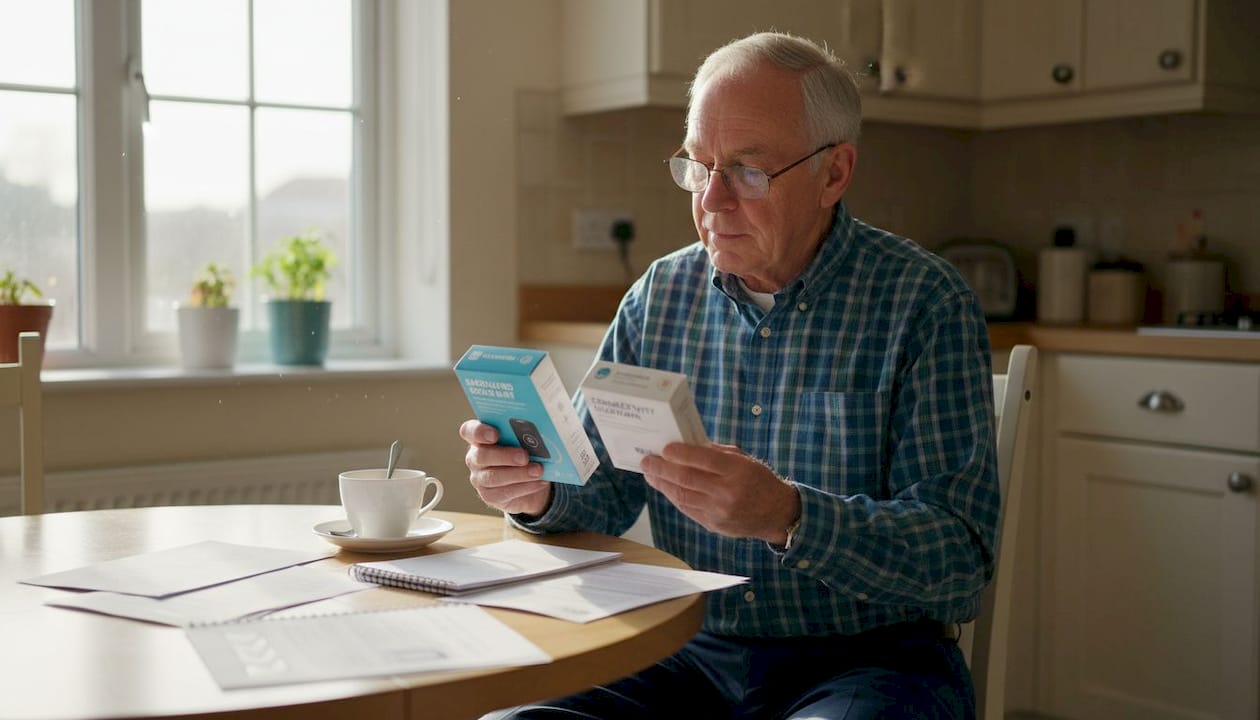
Choosing the right device matters just as much as installing it correctly. Different alarm devices suit different mobility and lifestyle needs for seniors. Use this comparison to guide your decision:
| Device type | Key features | Installation complexity | Best for |
|---|---|---|---|
| Pendant alarm | SOS button, simple design | Very easy | Seniors with limited mobility |
| Alarm watch | GPS, fall detection, two-way call | Easy | Active seniors, outdoor use |
| Wall-mounted unit | Always-on, no charging needed | Moderate | Bathroom or bedroom safety |
| Smartwatch | GPS, health tracking, SOS | Easy to moderate | Tech-comfortable seniors |
For seniors with a higher fall risk, a device with automatic fall detection is strongly recommended. Learn more about how these systems work in this fall detection alarm guide.
Pro Tip: If the senior has early-stage dementia or tends to wander, prioritize a device with real-time GPS tracking. Location sharing gives caregivers immediate awareness without being intrusive.
Step-by-step installation instructions
Once you have chosen your device and gathered your tools, follow these steps carefully. Proper installation ensures the device delivers fast emergency response and maximum safety.
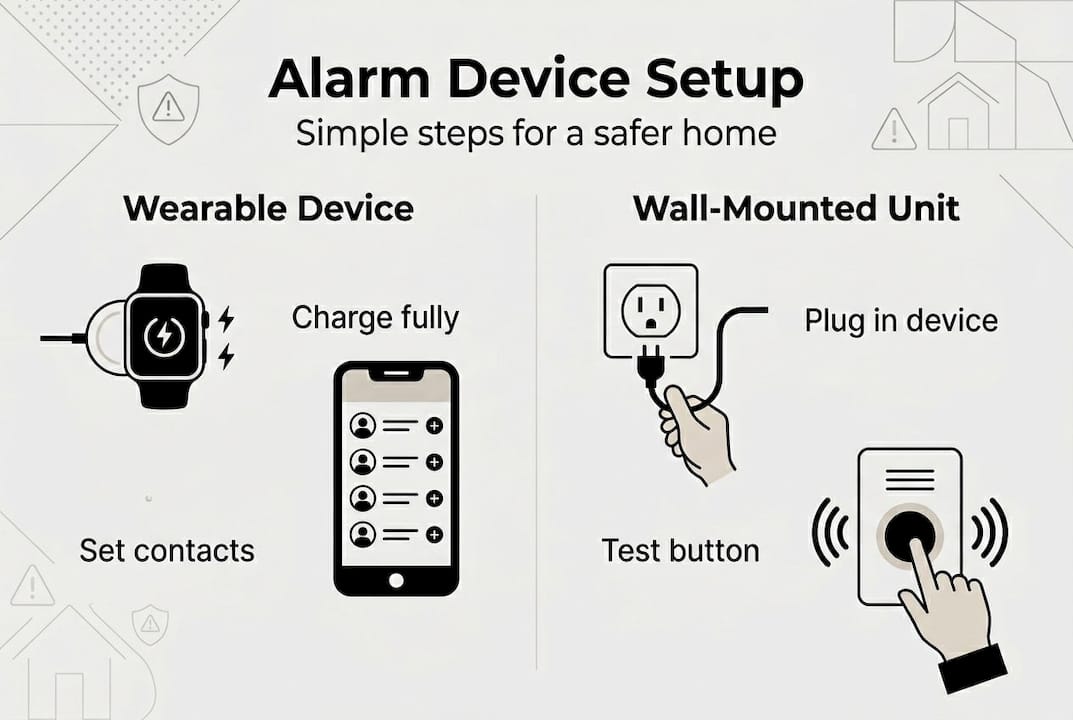
- Unbox and verify contents. Open the packaging and confirm all parts are included: the device, charging cable, SIM card slot tool (if applicable), and manual.
- Charge the device fully. Connect it to power before first use. Most devices take two to four hours for a full charge. Do not skip this step.
- Insert the SIM card. If your device uses mobile connectivity, insert the SIM card using the provided tool. Make sure the card is active and has data enabled.
- Download the companion app. Install the manufacturer’s app on your smartphone. Create an account and follow the on-screen setup instructions.
- Pair the device. Open the app and add the alarm device using Bluetooth or the device’s serial number. Follow the prompts to complete pairing.
- Set up emergency contacts. Enter the phone numbers of family members or caregivers who should receive alerts. Most apps allow two to five contacts.
- Wear or mount the device correctly. For wearables, ensure a snug but comfortable fit. For wall units, mount at chest height in a location the senior can easily reach.
- Test the alarm. Press the SOS button briefly to confirm alerts are sent to the right contacts. Check that GPS location appears correctly in the app.
Here is a quick reference for common device types:
| Step | Wearable device | Wall-mounted unit |
|---|---|---|
| Power source | Rechargeable battery | Plug-in or battery backup |
| Connectivity | SIM card or Bluetooth | Landline or Wi-Fi |
| Mounting | Worn on body | Screwed to wall |
| Test method | Press SOS button | Press call button |
To understand how fall detection works within these devices, it helps to know that sensors detect sudden movement changes and trigger an alert automatically.
Pro Tip: Label the emergency contacts in the app with names like “Daughter Maria” instead of just a phone number. This makes it easier to verify the right people are connected.
Testing and verifying your alarm device
Installation is only complete once you have confirmed the device works correctly. Routine testing guarantees reliability and peace of mind for users and families alike.
Testing checklist:
- Press the SOS button and confirm all emergency contacts receive an alert
- Check that GPS location shown in the app matches the actual location
- Verify two-way audio works clearly if the device supports calling
- Confirm fall detection triggers correctly by consulting the manual for a safe test method
- Check battery level after the test and recharge if below 50%
“A device that has never been tested is a device you cannot fully trust. Regular checks turn a good alarm into a reliable safety net.”
If the device fails any part of the test, do not assume it will work in a real emergency. Recheck the SIM card connection, app settings, and battery. If problems persist, contact the manufacturer’s support team.
For ongoing safety, set a monthly reminder to repeat the test. You can also explore remote monitoring safety strategies to keep a closer eye on your loved one between tests.
Pro Tip: Do the first test with a family member present so everyone knows what an alert looks and sounds like. This builds confidence for both the senior and the caregiver.
Troubleshooting and common mistakes
Even with careful setup, issues can arise. Here is how to solve the most common problems quickly and keep your device working reliably.
Common issues and fixes:
- No alert received after pressing SOS: Check that the SIM card is active and has a data or call plan. Confirm emergency contacts are saved correctly in the app.
- GPS location is inaccurate or missing: Move to an open area outdoors and wait 60 seconds. GPS signals can be blocked indoors or in dense urban areas.
- Device not pairing with the app: Restart both the device and your smartphone. Make sure Bluetooth is enabled and the app has location permissions.
- Fall detection triggering falsely: Adjust the sensitivity settings in the app. Some devices allow you to set detection thresholds based on activity level.
- Battery draining too fast: Reduce GPS update frequency in the app settings. Constant real-time tracking uses more power.
Incorrect setup or infrequent checks can compromise device effectiveness, which is why reviewing these points after installation is so important.
If you have worked through all the steps above and the device still does not function correctly, contact the manufacturer directly. Most reputable brands offer phone or chat support and can walk you through advanced troubleshooting. You can also find practical fall alarm setup tips to avoid the most frequent pitfalls.
Pro Tip: Keep a printed copy of the device’s support number near the senior’s phone. In a stressful moment, having that number visible saves time.
Alarm solutions for seniors: enhance safety with the right device
Finding the right alarm device does not have to be complicated. The steps in this guide give you a clear path from setup to daily use, and the right product makes every step easier.
At KUUS, we offer a range of wearable safety devices built specifically for seniors, including GPS alarm watches, SOS wristbands, and personal alarm buttons, all without monthly subscription costs. Our devices are designed for easy self-installation and daily comfort. Whether you are looking for the best GPS tracker for seniors, want to understand the fall alarm watches benefits, or need a reliable alarm button for seniors, we have a solution that fits. Take the next step toward greater independence and safety today.
Frequently asked questions
How often should I test my personal alarm device?
You should test your alarm device at least once a month to ensure it works reliably. Routine testing guarantees the device is ready when it matters most.
What do I do if the alarm doesn’t send a signal?
Check the battery charge and mobile connectivity first, then consult your device manual or contact customer support if the issue continues. Incorrect setup is one of the most common reasons a device fails to send an alert.
Can one alarm device work outside the home?
Yes, many devices include GPS tracking that works both at home and outdoors. Different alarm devices suit various living situations, so choose one that matches the senior’s daily routine.
Is professional installation necessary for every alarm device?
Most personal alarms are designed for easy self-installation without any special tools. That said, always check the instructions for your specific model, since proper installation ensures fast response and maximum safety.