




TL;DR:
- Emergency alarm buttons are useful for all seniors, not just the immobile or ill. They reduce fall-related injuries and increase confidence in daily activities. Proper device choice, regular testing, and combining technology with safety measures improve overall safety and independence.
Many people assume emergency alarm buttons are only for those who are already seriously ill or largely immobile. That assumption puts thousands of independent seniors at unnecessary risk every day. Falls are the leading cause of injury-related death among older adults, and fall mortality has risen 30% over the past decade. The truth is, emergency alarm buttons are equally valuable for active, healthy seniors living alone. This guide will show you exactly what these devices are, how they work, which type fits different needs, and where most families go wrong when choosing one.
Table of Contents
- What is an emergency alarm button?
- How emergency alarm buttons work: Inside the technology
- Comparing types: Wrist vs. pendant vs. smart alarm systems
- Nuances and limitations of emergency alarm buttons
- A smarter approach to senior emergency alarms: What most guides miss
- Find the right emergency button for peace of mind
- Frequently asked questions
Key Takeaways
| Point | Details |
|---|---|
| Improved senior safety | Emergency alarm buttons drastically lower risks and help seniors live independently with confidence. |
| Not one-size-fits-all | Different types of devices fit various needs, and auto-detection is especially valuable for dementia patients. |
| Technology with training | Devices work best with regular testing, user training, and family involvement. |
| False alarms are manageable | Occasional false triggers are common but can be addressed through operator checks and user education. |
What is an emergency alarm button?
An emergency alarm button is a small, wearable or wall-mounted device that lets a user summon help instantly. With one press, it contacts family members, caregivers, or a monitoring center. No phone call needed. No fumbling with a smartphone. Just one clear action that can mean the difference between a fast recovery and a life-threatening delay.
These devices come in several forms:
- Pendants: Worn around the neck, always accessible, simple to press
- Wristbands: Worn like a watch, discreet and comfortable for daily wear
- Smartwatches with SOS: Combine GPS, two-way calling, and alarm functions in one device
- Wall-mounted units: Installed in bathrooms or hallways where falls are most common
Who benefits most? The answer is broader than most people expect. Seniors living alone are the clearest group, but those with mobility challenges, chronic conditions like heart disease or diabetes, or early signs of dementia also gain enormously. Even active older adults benefit, because emergencies happen without warning.
Personal Emergency Response Systems (PERS) are used by over 3.4 million people worldwide, and research confirms they reduce both fear and actual harm from falls. That confidence matters. Seniors who wear a device feel safer moving around at home, which actually encourages healthier activity levels.
You can learn more about how emergency buttons help in daily situations, from bathroom slips to outdoor walks. If you are still deciding whether a device fits your needs, reviewing emergency button tips before purchasing can save time and frustration.
Pro Tip: Look for a device the senior will actually wear every day. The best alarm button in the world offers zero protection if it sits on the nightstand.
How emergency alarm buttons work: Inside the technology
Understanding how these devices function helps families make smarter choices and set realistic expectations. The core process is straightforward:
- The user presses the SOS button (or the device detects a fall automatically)
- The device sends an alert via cellular network, Wi-Fi, or Bluetooth
- The alert reaches a monitoring center or pre-set contacts like family members
- Two-way voice communication begins, or the location is shared via GPS
- Help is dispatched or a family member responds directly
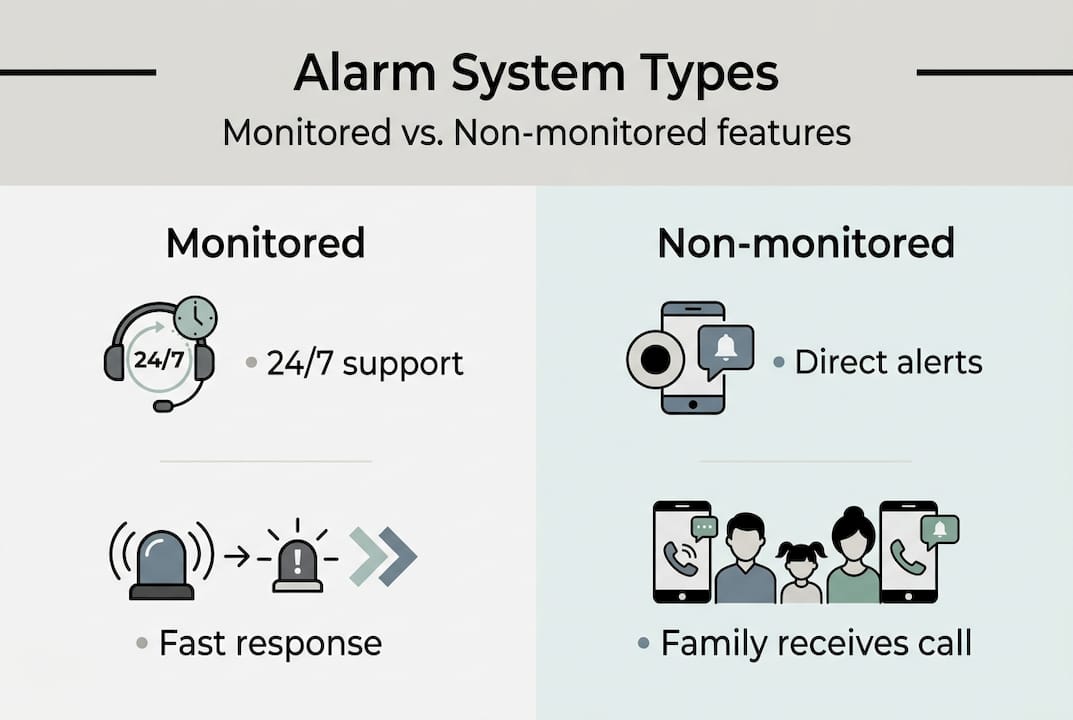
There are two main system types. Monitored systems connect to a 24/7 professional call center. Operators answer, assess the situation, and contact emergency services if needed. Non-monitored systems send alerts directly to pre-set contacts, often through a smartphone app. Non-monitored systems are typically more affordable and skip monthly subscription fees entirely.
Fall detection is one of the most important recent advances. These sensors use accelerometers and algorithms to recognize the motion pattern of a fall. Fall detection devices catch 80 to 95% of major falls, though they perform less reliably with slow or soft falls. That is an important nuance families should understand before relying on this feature alone.
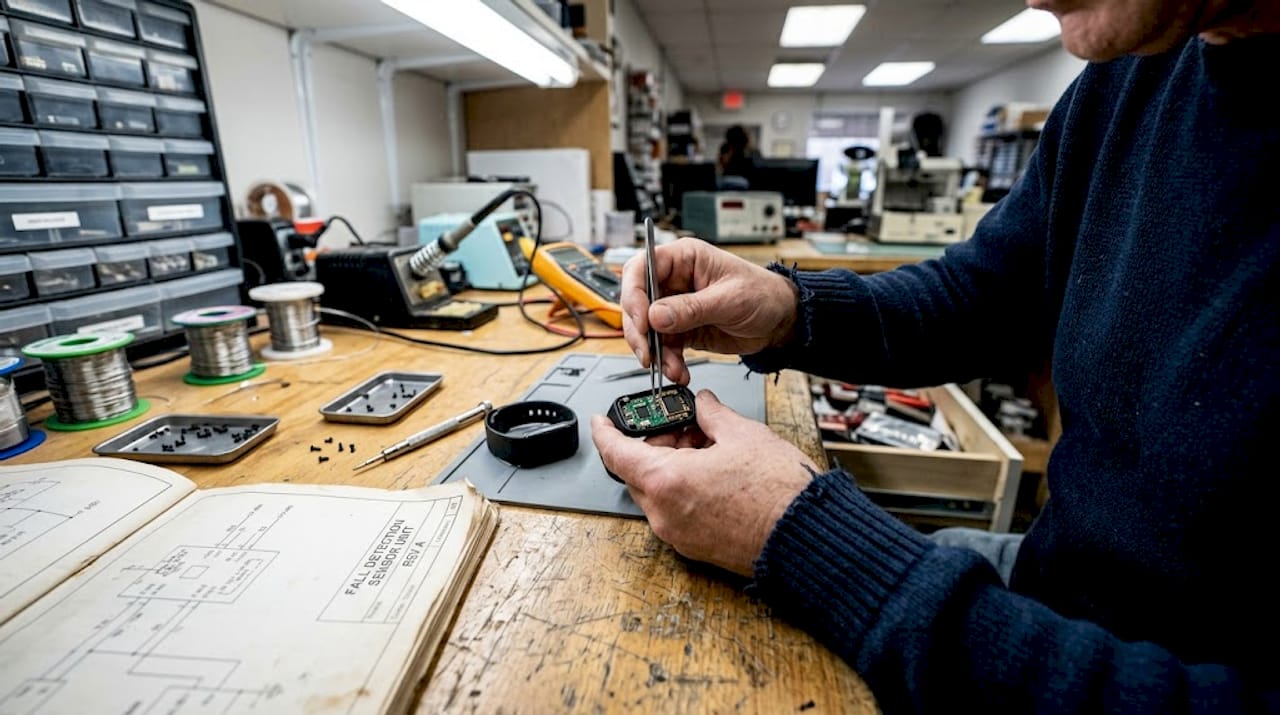
False alarms are a reality too. Pooled sensitivity is around 55% and specificity around 89%, meaning some real falls are missed and some non-falls trigger alerts. Monitored system operators are trained to handle false alarms efficiently.
| Feature | Monitored system | Non-monitored system |
|---|---|---|
| Response time | Fast, professional | Depends on family availability |
| Monthly cost | Often required | Usually none |
| Fall detection | Common | Available on select models |
| GPS tracking | Often included | Available on select models |
| Two-way calling | Standard | Available on select models |
Learn more about how fall detection alarms work and consider testing alarm buttons regularly to confirm they function correctly.
Pro Tip: Test your device weekly. A quick test call confirms the button, network connection, and contact list all work as expected.
Comparing types: Wrist vs. pendant vs. smart alarm systems
Choosing the right device type is often more about lifestyle than technology. Each format has genuine advantages and real drawbacks.
Pendants hang around the neck and are easy to press in any position, including while lying down. Pendants offer the best detection accuracy in many studies, but some users resist wearing them because they look clinical or feel stigmatizing. Compliance is the biggest risk with pendants.
Wristbands are more discreet and feel familiar, similar to wearing a watch. They are popular with seniors who want something low-profile. The position on the wrist can slightly reduce fall detection accuracy compared to a chest-level pendant, but comfort usually improves daily wear rates.
Smart alarm watches go furthest in combining safety with everyday utility. GPS location sharing, two-way calling, and SOS alerts come packaged in a device that looks like a regular watch. This reduces stigma dramatically. For seniors with early dementia or wandering behavior, GPS tracking adds a critical layer of protection that pendants and simple wristbands cannot match.
Wall-mounted units serve a different purpose. Placed near the toilet, in the shower, or at the bottom of stairs, they cover the highest-risk zones without requiring the user to remember to wear anything. They work well as a supplement to a wearable device.
For users with dementia, the device type matters enormously. Auto-detection is essential for users with dementia who may not remember to press a button, or who may not recognize that they need help. Automatic fall detection and GPS alerts remove that barrier entirely.
“The right device is the one a person will actually use consistently. Comfort, familiarity, and daily routine matter more than technical specifications alone.”
Key considerations when comparing types:
- Does the user have cognitive decline that might prevent button use?
- Will the senior wear the device consistently, or will it feel burdensome?
- Is GPS tracking needed for outdoor safety or wandering risk?
- Does the family need real-time location updates?
Explore a detailed best alarm watches comparison or review the watch interfaces guide to understand which designs work best for different levels of tech comfort.
Nuances and limitations of emergency alarm buttons
No device is perfect. Understanding the real limitations helps families avoid frustration and use these tools more effectively.
Fall detection remains the most discussed limitation. As noted earlier, slow or gentle falls, like sliding down a wall, are frequently missed. The sensors are calibrated for sudden, high-impact motion. Families should not assume automatic detection will catch every incident.
Many alarm activations turn out to be low-acuity or are canceled before emergency services arrive, and research suggests a significant share of lights-and-sirens responses are unnecessary. This has practical implications: false alarms can erode trust in the system if they happen repeatedly. Proper setup and user training reduce this significantly.
Tech readiness and user training are two of the most underrated factors in real-world effectiveness. A senior who understands how the device works and has practiced using it will respond far more reliably in an actual emergency.
Insurance coverage is another practical consideration. Some Medicare Advantage plans cover personal emergency response systems, but coverage varies widely between providers and plan types. Families should verify coverage before purchasing and compare device options accordingly.
Combining a PERS device with broader risk reduction strategies produces better outcomes than relying on technology alone. Removing fall hazards at home, improving lighting, and maintaining regular physical activity all reduce the likelihood that an alarm will ever be needed.
Key best practices for maximizing value:
- Involve the senior in choosing the device to increase acceptance
- Practice pressing the button together so it feels natural
- Check battery and connectivity monthly
- Combine the device with home safety improvements
- Keep contact lists updated in the device or app
For families navigating cognitive decline, read about alarms in dementia care and how automatic alarm notifications help families stay informed without constant checking.
Pro Tip: Schedule a monthly “test day” with your loved one. It keeps the habit fresh, confirms the device works, and gives both of you confidence that help is truly one press away.
A smarter approach to senior emergency alarms: What most guides miss
Most buying guides focus almost entirely on features and price. That misses the most important variable: the human being wearing the device.
We see families purchase technically excellent devices, only to find them unused after two weeks because the senior found them uncomfortable, embarrassing, or confusing. Technology only protects people who actually use it. That sounds obvious, but it is consistently underestimated.
The families who get the best outcomes spend time introducing the device slowly, involving the senior in the decision, and normalizing daily wear before an emergency ever happens. They also pair the device with genuine conversations about safety, not lectures, but honest discussions about what matters.
Overreliance on a device without addressing home hazards or building community connections is a real risk too. An alarm button is a safety net, not a substitute for a safer environment. The most protected seniors we see combine good device choices with elderly protection insights and practical changes to their daily routines. That combination is what genuinely improves quality of life.
Find the right emergency button for peace of mind
If this guide has helped clarify what to look for, the next step is finding a device that fits the specific needs of your loved one. Not every senior needs the same solution.
At KUUS, we offer a range of wearable safety devices designed specifically for older adults, including alarm watches for seniors with GPS and SOS functions, and personal alarm buttons with GPS that require no monthly subscription. Whether you are looking for a simple button for an active senior or a full-featured smartwatch for someone with early dementia, we have options designed for real daily life. Explore our full range of elderly alarm button solutions and find the right fit for your family today.
Frequently asked questions
Do emergency alarm buttons work if the user cannot press the button?
Many modern systems include automatic fall detection, but fall detection may miss soft or slow falls, so they are not fully reliable for every situation. Choosing a device with both manual and automatic options offers the most protection.
Will insurance or Medicare cover the cost of emergency alarm buttons?
Some Medicare Advantage plans do cover these devices, but check Medicare Advantage coverage carefully since eligibility and reimbursement vary by plan and provider.
How reliable are emergency alarm buttons in real emergencies?
PERS reduce long lie risk after falls and lower hospital admissions, though false alarms and occasional missed detections are real limitations to account for.
What’s the difference between monitored and non-monitored alarm systems?
Monitored systems connect to a 24/7 professional operator, while non-monitored systems send alerts directly to family or caregivers. Learn more about response pathways for seniors to decide which model fits your situation.
Can emergency alarm buttons help with peace of mind for families?
Yes. PERS users report less fear of falling and greater confidence in daily life, and caregivers consistently report reduced anxiety about their loved one’s safety.